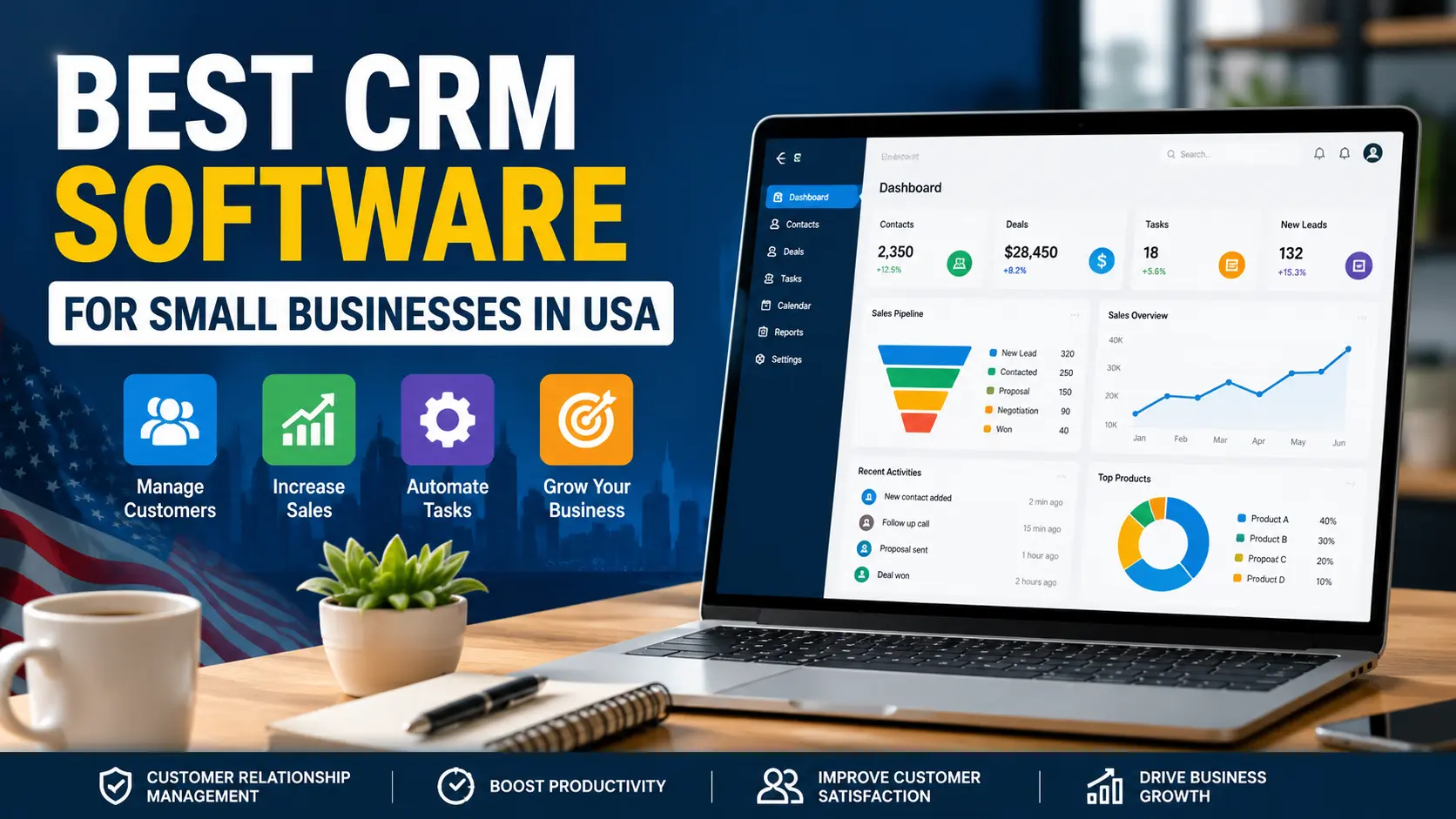
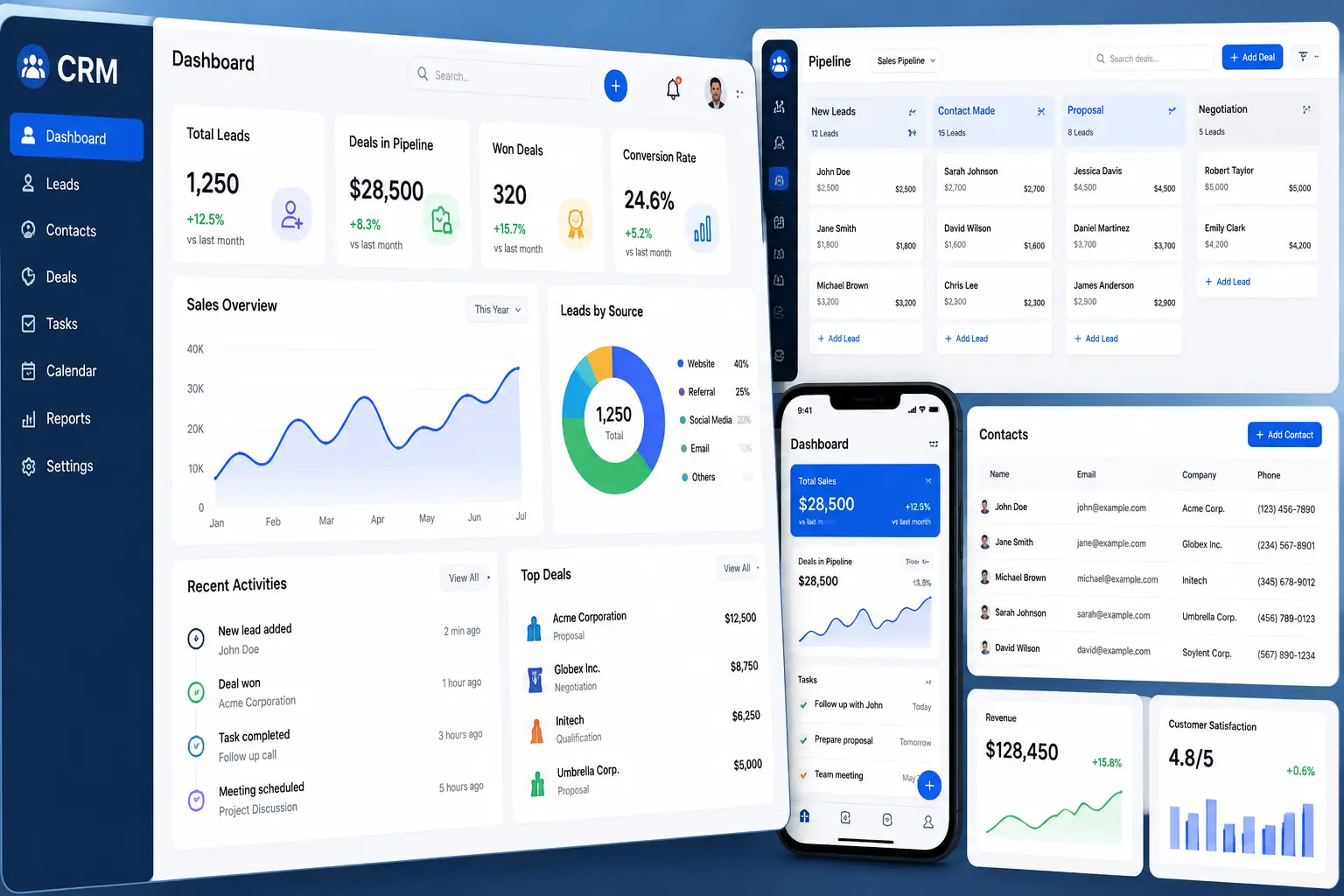
Running a small business in the United States isn’t easy anymore. Customers expect faster replies, personalized service, and smooth communication across email, phone, chat, and social media. If you’re still managing leads in spreadsheets or sticky notes, things can get messy fast.
That’s where CRM software changes the game.
A good CRM (Customer Relationship Management) system helps small businesses organize contacts, track sales, automate follow-ups, and improve customer relationships without hiring a huge team. But here’s the problem: there are hundreds of CRM tools out there. Some are overloaded with features you’ll never use. Others are too expensive for startups. And a few simply look good in ads but become frustrating after a few weeks. To make things easier, we analyzed and compared the best CRM software for small businesses in the USA based on pricing, usability, automation, integrations, customer support, and real-world value. Whether you’re a startup founder, agency owner, consultant, local business, or growing SaaS company, this guide will help you find the right CRM without wasting time or money.
Author’s View
Choosing CRM software isn’t about finding the platform with the longest feature list—it’s about finding one your team will actually use every day.
While researching and comparing the leading CRM platforms for this guide, one thing became clear: the best CRM for a small business depends on its stage of growth, budget, and sales process. A startup with a handful of customers has very different needs than a rapidly growing company managing hundreds of leads each month. If you’re just getting started, simplicity and ease of use often matter more than advanced customization. As your business grows, automation, integrations, reporting, and scalability become increasingly valuable.
For most small businesses in the United States, HubSpot CRM stands out as the strongest overall choice because it offers an excellent balance of usability, automation, and a generous free plan. Businesses with more complex sales operations may find Salesforce a better long-term investment, while budget-conscious teams can get outstanding value from Zoho CRM.
The best advice I can give is to take advantage of free trials whenever possible. Let your sales and support teams test the software in real-world scenarios before making a long-term commitment. A CRM should simplify your workflow—not create additional complexity. Ultimately, the right CRM is the one that helps your business build stronger customer relationships, save time through automation, and support sustainable growth for years to come.
Why CRM Software Matters for Small Businesses
Most small business owners think CRMs are only for large corporations. That used to be true years ago, but not anymore. Modern CRM tools are built specifically for startups and growing teams.
Here’s what a CRM can actually help you do:
- Track leads automatically
- Follow up with prospects faster
- Improve customer retention
- Organize client conversations
- Automate repetitive tasks
- Increase sales conversions
- Reduce manual work
- Build better customer experiences
Imagine a customer filling out a form on your website at 10 PM. Instead of waiting until morning, your CRM instantly sends a welcome email, assigns the lead to a sales rep, and automatically schedules a follow-up reminder.
That’s the kind of efficiency small businesses need today.
Quick Comparison Table: Best CRM Software in USA
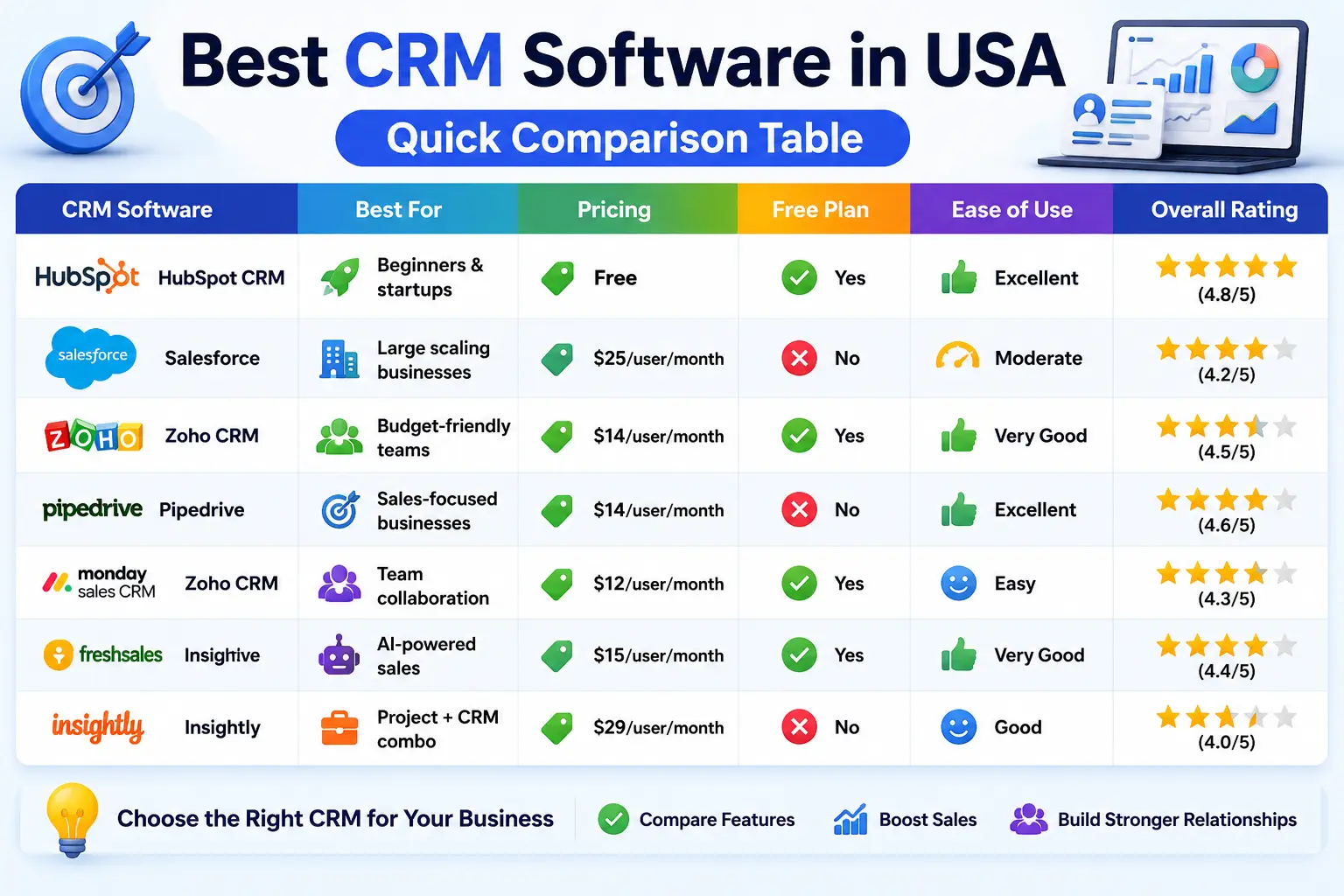
| HubSpot CRM | Beginners & startups | Free | Yes | Excellent |
| Salesforce | Large scaling businesses | $25/user/month | No | Moderate |
| Zoho CRM | Budget-friendly teams | $14/user/month | Yes | Very Good |
| Pipedrive | Sales-focused businesses | $14/user/month | No | Excellent |
| Monday Sales CRM | Team collaboration | $12/user/month | Yes | Easy |
| Freshsales | AI-powered sales | $15/user/month | Yes | Very Good |
| Insightly | Project + CRM combo | $29/user/month | No | Good |
1. HubSpot CRM – Best Overall CRM for Small Businesses
If you’re starting your first CRM journey, HubSpot is honestly one of the safest choices in the market. The platform feels modern, clean, and surprisingly beginner-friendly. Unlike many enterprise CRMs that require weeks of setup, HubSpot can be running in a few hours.
What makes it popular among U.S. small businesses is its generous free plan.
You get:
- Contact management
- Email tracking
- Live chat
- Sales pipeline tools
- Meeting scheduling
- Marketing integrations
The automation tools are especially useful for startups trying to save time.
Pros
- Excellent free version
- Easy interface
- Great email marketing tools
- Strong automation features
- Scales with business growth
Cons
- Advanced features become expensive.
- Reporting tools are limited on the free plan
Best Use Cases
- Startups
- Marketing agencies
- Local service businesses
- SaaS companies
Pricing
Free plan available. Paid plans start around $20/month, depending on features.
2. Salesforce – Best CRM for Scaling Companies
Salesforce is basically the giant of the CRM world. Large corporations love it because it’s insanely customizable. But over the past few years, Salesforce has also become more accessible for smaller businesses. That said, this isn’t the easiest CRM for beginners.
In my experience testing CRMs with small teams, this is usually the point where a first-time buyer gets cold feet — but if you’ve got even one person comfortable with a bit of technical setup, Salesforce’s power is worth pushing through the learning curve for. If you want deep analytics, advanced automation, custom workflows, and powerful integrations, Salesforce delivers. But expect a learning curve. One thing many U.S. businesses appreciate is the ecosystem. There are thousands of integrations and apps available through Salesforce AppExchange.
Pros
- Extremely powerful features
- Advanced reporting
- Strong automation
- Massive integration ecosystem
Cons
- Expensive for small teams.
- Setup can feel overwhelming.
- The learning curve is higher.
Best Use Cases
- Fast-growing startups
- Enterprise-focused businesses
- Tech companies
- Large sales teams
Pricing
Starts around $25 per user/month.
3. Zoho CRM – Best Budget-Friendly CRM
Zoho CRM has quietly become one of the best value-for-money CRM platforms in the USA. For small businesses working with tight budgets, Zoho offers impressive features without the enterprise-level pricing.
You get:
- Workflow automation
- Lead scoring
- Email marketing
- Analytics
- Omnichannel communication
- AI assistant features
Zoho’s ecosystem is another major advantage. If your business already uses accounting software, invoicing tools, or HR systems, Zoho integrates smoothly across its own platform.
Pros
- Affordable pricing
- Rich feature set
- Strong automation
- Good mobile app
Cons
- The interface can feel busy.
- Some integrations require setup work.
Best Use Cases
- Small businesses
- Freelancers
- Consultants
- E-commerce stores
Pricing
Free version available. Paid plans start around $14/user/month.
4. Pipedrive – Best CRM for Sales Teams
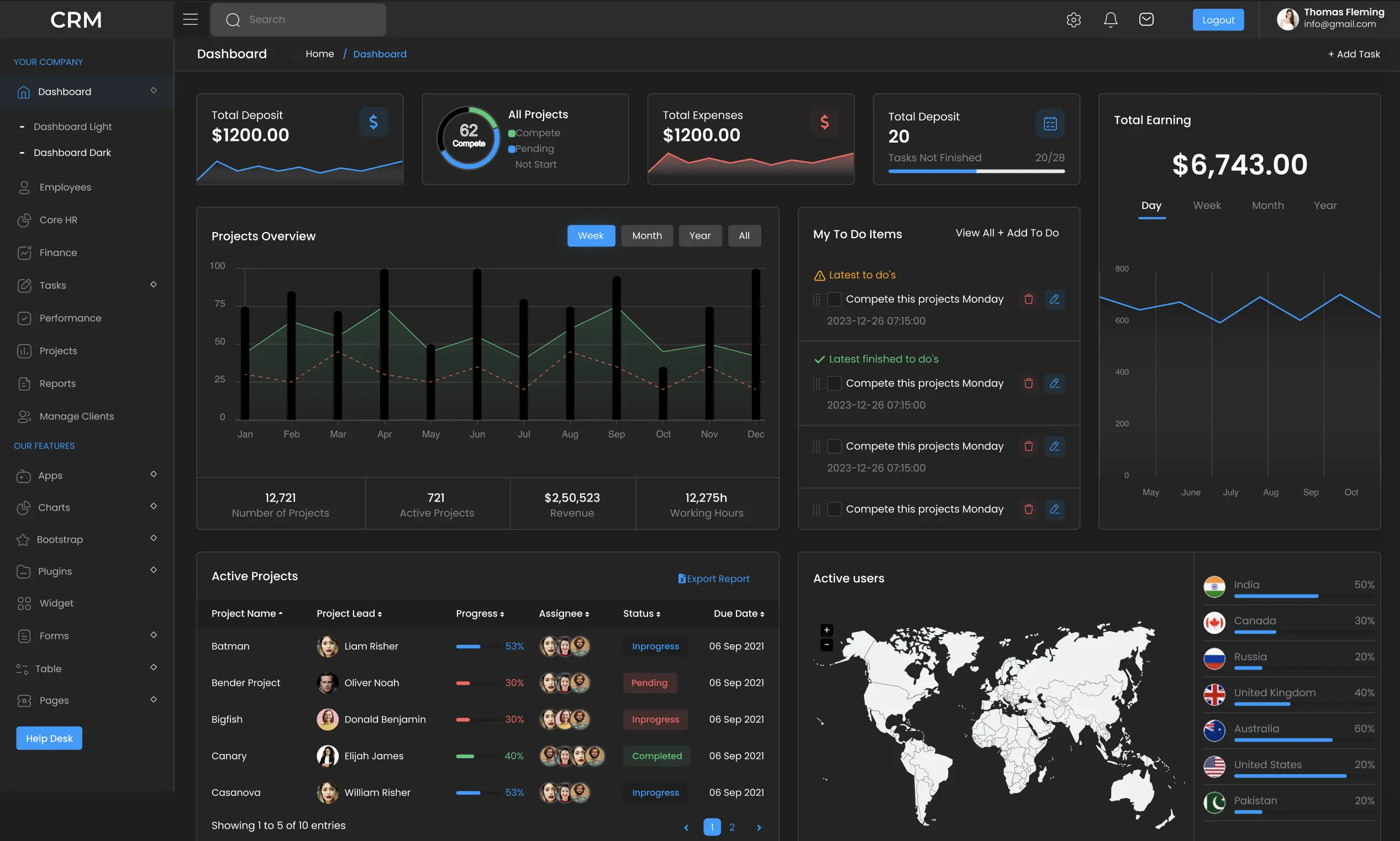
If your business depends heavily on sales pipelines, Pipedrive is worth serious consideration. The platform was designed specifically for sales-focused teams, and you can feel that immediately after logging in. Everything revolves around moving leads through your pipeline efficiently. The visual dashboard is clean, simple, and highly effective.
Sales reps can quickly:
- Track deals
- Schedule activities
- Monitor follow-ups
- Forecast revenue
- Automate repetitive tasks
Unlike bloated CRMs, Pipedrive focuses on usability.
Pros
- Excellent sales pipeline management
- Easy setup
- Visual interface
- Great automation
Cons
- Limited marketing tools
- Reporting could be deeper.
Best Use Cases
- Real estate businesses
- Sales agencies
- B2B companies
- Service providers
Pricing
Starts around $14/user/month.
5. Monday Sales CRM – Best for Team Collaboration
Monday.com became famous as a project management platform, but its CRM product has become surprisingly strong. One of the biggest strengths is team collaboration. Small businesses often struggle because sales, marketing, and customer support operate separately. Monday helps centralize communication. The drag-and-drop interface is modern and visually appealing.
You can customize workflows without coding knowledge, which is a huge plus for startups.
Pros
- Highly customizable
- Easy collaboration
- Modern UI
- Flexible workflows
Cons
- Automation limits on lower plans.
- Some advanced reporting is missing.
Best Use Cases
- Remote teams
- Agencies
- Creative businesses
- Collaborative startups
Pricing
Starts around $12/user/month.
6. Freshsales – Best AI-Powered CRM
Artificial intelligence is becoming a major part of CRM software, and Freshsales is leaning hard into that trend. The platform includes AI-powered lead scoring, email recommendations, and sales insights that genuinely help save time. For busy small business owners, automation matters. Freshsales does a good job balancing simplicity with intelligent features. The built-in calling and email system is another nice touch because you don’t need dozens of third-party tools.
Pros
- AI features included
- Strong automation
- Built-in communication tools
- Good value pricing
Cons
- Some advanced tools are locked behind premium plans.
- Customization can be limited.
Best Use Cases
- Tech startups
- Online businesses
- SaaS teams
- Growing sales departments
Pricing
Free plan available. Paid plans start around $15/user/month.
7. Insightly – Best CRM with Project Management
Insightly stands out because it combines CRM functionality with project management tools. That makes it especially useful for service-based businesses that need to manage client projects after closing deals. Instead of switching between multiple apps, teams can manage customer relationships and ongoing work in one place.
Pros
- CRM + project management
- Strong workflow automation
- Easy lead tracking
Cons
- Interface feels slightly outdated.
- Higher pricing tiers
Best Use Cases
- Agencies
- Consultants
- Service businesses
- Marketing teams
Pricing
Starts around $29/user/month.
Key Features to Look for in a CRM
Before choosing a CRM, don’t just focus on price. A cheap CRM that slows your team down ends up costing more in lost productivity.
Here are the features that actually matter for small businesses in the USA.
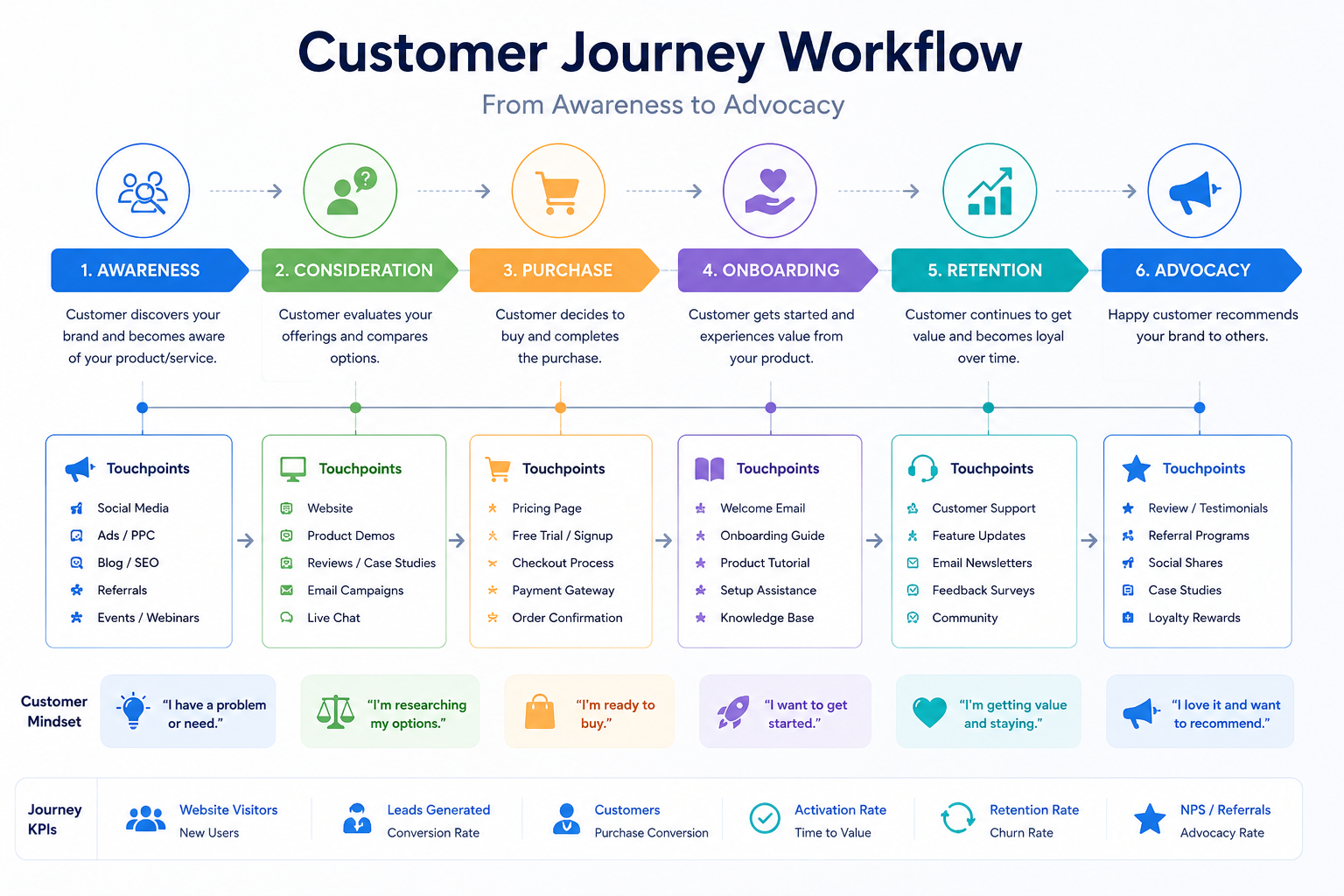
Ease of Use
If your team hates using the software, adoption fails.
Look for:
- Clean dashboards
- Mobile access
- Easy navigation
- Simple onboarding
Automation
Automation saves hours every week.
Important automation features include:
- Email sequences
- Lead assignment
- Follow-up reminders
- Workflow triggers
Integrations
Your CRM should connect with:
- Gmail
- Outlook
- Slack
- Zoom
- QuickBooks
- Shopify
- Marketing tools
Reporting and Analytics
Data helps you make smarter decisions.
Good CRMs provide:
- Sales forecasting
- Pipeline tracking
- Team performance reports
- Conversion metrics
CRM Mistakes Small Businesses Make
A lot of businesses buy a CRM and still fail to improve sales. Why?
Because they make avoidable mistakes.
Choosing Overly Complex Software
Some businesses buy enterprise-level tools they’ll never fully use.
Keep it simple initially.
Ignoring Team Training
Even the best CRM becomes useless if nobody understands how to use it.
Not Using Automation
Many companies only use CRMs as digital contact books instead of leveraging automation.
Failing to Clean Data
Duplicate contacts and outdated information can ruin reporting accuracy.
Expert Tips Before Buying CRM Software
Here are a few practical tips many software reviews skip.
Start with Free Trials
Never commit immediately.
Test:
- Speed
- Mobile usability
- Automation
- Integrations
Think About Future Growth
Choose a CRM that can scale with your business over the next few years.
Prioritize Support
Good customer support matters more than flashy features.
Focus on User Experience
Your team should enjoy using the CRM daily.
Which CRM Is Best for Your Business?

Here’s the short version:
| Startups | HubSpot CRM |
| Budget-conscious businesses | Zoho CRM |
| Sales-focused teams | Pipedrive |
| Scaling companies | Salesforce |
| Collaborative teams | Monday Sales CRM |
| AI-driven businesses | Freshsales |
| Service businesses | Insightly |
FAQs
What is the best CRM software for small businesses in the USA?
HubSpot CRM is often considered one of the best overall options because of its free plan, ease of use, and strong automation features.
Which CRM is the easiest to use?
Pipedrive and HubSpot are among the easiest CRMs for beginners and small business teams.
Are free CRM tools worth it?
Yes. Many free CRM platforms offer enough features for startups and small businesses before upgrading becomes necessary.
What CRM do startups use most?
Many startups use HubSpot, Zoho CRM, or Freshsales because they balance affordability with scalability.
How much does CRM software cost?
CRM pricing varies widely. Entry-level plans typically range from $12 to $30 per user/month.
Can CRM software increase sales?
Absolutely. A good CRM improves follow-ups, lead management, customer retention, and overall sales efficiency.

SoftwareCompanyNearMe Editorial Team is dedicated to researching and publishing trusted content about U.S. software companies, SaaS platforms, artificial intelligence (AI), cloud computing, cybersecurity, and enterprise technology. Our goal is to help businesses, IT professionals, and software buyers make informed decisions through accurate, well-researched, and regularly updated technology guides, company reviews, and industry insights.
8 thoughts on “Best CRM Software for Small Businesses in USA”