
Artificial intelligence is rapidly changing the way software is built, tested, and maintained. From automating repetitive coding tasks to helping developers understand complex codebases, AI-powered development tools are becoming essential for businesses and software professionals.
Among the newest and most talked-about AI software solutions is Cursor AI, developed by Anysphere. This AI-powered code editor has gained significant attention among developers, startups, and enterprise teams looking to improve productivity and accelerate software delivery. But is Cursor AI truly worth the hype?
In this comprehensive review, we’ll explore Cursor AI’s features, benefits, pricing, business applications, strengths, limitations, and how it compares with competing AI development tools.
Table of Contents
- What Is Cursor AI?
- How Cursor AI Works
- Key Features
- Benefits for Businesses
- Real-World Use Cases
- Cursor AI Pricing
- Cursor AI vs GitHub Copilot
- Pros and Cons
- Industry Trends
- Common Mistakes to Avoid
- Expert Tips
- FAQs
- Final Verdict
What Is Cursor AI?
Cursor AI is an AI-powered code editor created by Anysphere. Built on top of modern AI language models, Cursor helps developers write, edit, debug, and understand code using natural language instructions. Unlike traditional code editors, Cursor acts like an intelligent development partner that understands context across entire projects.
Developers can simply ask:
- “Explain this function.”
- “Fix this bug.”
- “Refactor this code.”
- “Create a REST API endpoint.”
The AI then generates or modifies code accordingly.
Quick Summary
| Feature | Cursor AI |
|---|---|
| Type | AI Code Editor |
| Developer | Anysphere |
| Best For | Developers, Startups, Enterprises |
| Platform | Windows, macOS, Linux |
| AI Assistance | Yes |
| Code Generation | Yes |
| Debugging | Yes |
| Natural Language Commands | Yes |
| Enterprise Usage | Yes |
Key Statistics
- Studies suggest developers can improve productivity by 30–50% when using AI-assisted coding tools effectively.
- AI-powered software development tools are expected to become standard across enterprise engineering teams within the next few years.
- Businesses increasingly invest in AI software solutions to reduce development costs and accelerate product delivery.
Cursor AI: Quick Company Overview
| Details | Information |
|---|---|
| Company Name | Anysphere, Inc. |
| Product Name | Cursor AI |
| Founded | 2022 |
| Headquarters | San Francisco, California, USA |
| Industry | Artificial Intelligence, Software Development Tools |
| Category | AI-Powered Code Editor / Developer Productivity Software |
| Founders | Anysphere was founded by a team of AI and computer science researchers |
| Main Product | Cursor AI — an AI-powered code editor designed to help developers write, edit, debug, and understand code faster |
| Target Users | Software developers, startups, SaaS companies, enterprise engineering teams |
| Key Technology | Artificial intelligence, large language models (LLMs), AI-assisted programming |
| Main Benefits | Faster coding, improved developer productivity, easier debugging, better code understanding |
| Platforms | Windows, macOS, Linux |
| Best Known For | Building an AI-first coding environment that helps developers collaborate with AI while programming |
Summary
Cursor AI is an AI-powered software development tool created by Anysphere that helps developers build applications faster through intelligent code generation, debugging assistance, and natural language commands. The platform has gained popularity among startups, individual developers, and technology companies looking to improve software development efficiency.
For businesses, Cursor AI represents the growing shift toward AI-assisted software engineering, where artificial intelligence works alongside developers to accelerate innovation and reduce repetitive programming tasks.
How Cursor AI Works
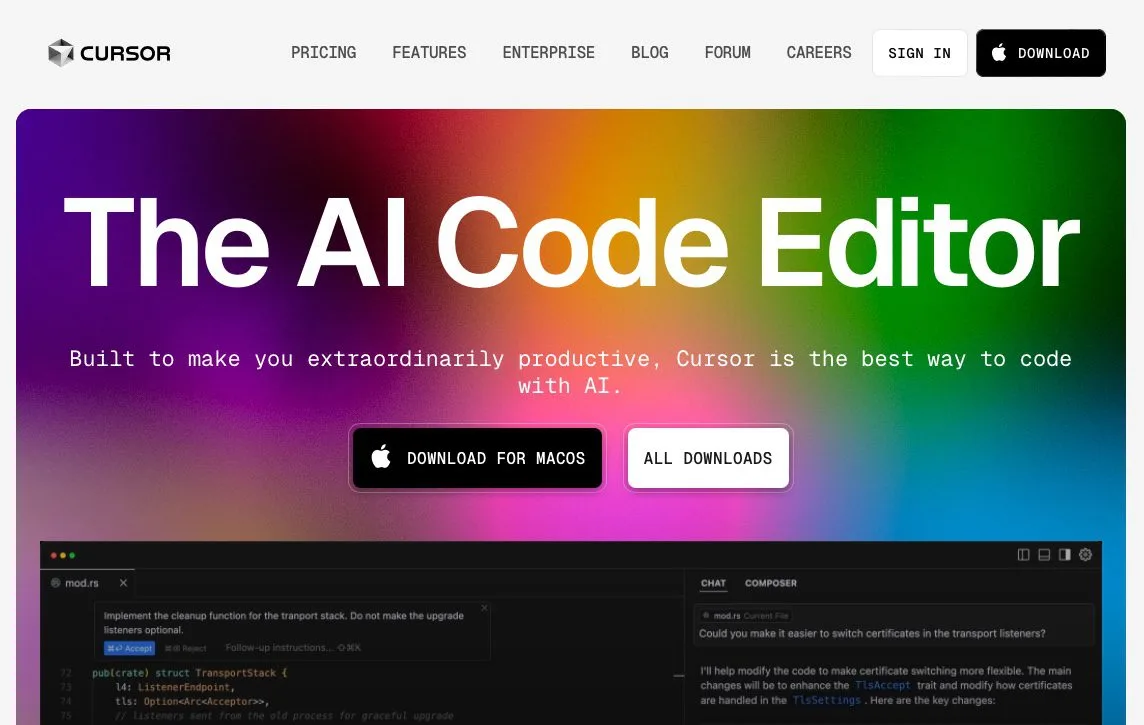
Cursor combines advanced AI models with an integrated development environment (IDE).
Instead of manually writing every line of code, developers can communicate with the editor through natural language.
The AI can:
- Analyze entire codebases
- Generate code snippets
- Detect bugs
- Suggest improvements
- Explain unfamiliar code
- Create documentation
This significantly reduces development time and improves efficiency.
Key Features of Cursor AI
AI-Powered Code Generation
Cursor can generate complete functions, classes, and modules from simple instructions.
Example:
A developer types:
“Create a secure user authentication system.”
The AI generates a structured implementation within seconds.
Smart Code Refactoring
Legacy code often becomes difficult to maintain.
Cursor helps by:
- Improving readability
- Reducing duplication
- Enhancing performance
- Applying best practices
Context-Aware Understanding
Unlike many coding assistants, Cursor can understand broader project context.
This enables more accurate suggestions and reduces irrelevant code recommendations.
Natural Language Coding
One of Cursor’s strongest features is natural language interaction.
Developers can describe what they want rather than manually writing every component.
This improves productivity and lowers barriers for newer developers.
Intelligent Debugging
Debugging can consume significant development time.
Cursor helps identify:
- Syntax errors
- Logic issues
- Performance bottlenecks
- Security vulnerabilities
Benefits for Businesses
Faster Product Development
Organizations can reduce development cycles and bring products to market faster.
This creates a competitive advantage in rapidly evolving industries.
Reduced Development Costs
By improving productivity, businesses can achieve more output without dramatically increasing engineering resources.
Better Team Collaboration
Cursor assists both junior and senior developers.
New team members can quickly understand unfamiliar codebases.
Supports Digital Transformation
Companies investing in:
- Business Software
- Enterprise Software
- Cloud Computing
- Data Analytics Platforms
- Business Automation
can accelerate innovation using AI-powered development workflows.

Real-World Business Use Cases
SaaS Companies
SaaS startups frequently use Cursor to:
- Build MVPs faster
- Launch features quickly
- Reduce development bottlenecks
Enterprise Software Providers
Large organizations use AI coding assistants to maintain massive codebases and improve developer efficiency.
IT Consulting Firms
Consultants often work under tight deadlines.
Cursor helps accelerate client project delivery and improve profitability.
Startup Founders
Technical founders can prototype ideas significantly faster than traditional development methods.
Cursor AI Pricing
Cursor offers multiple pricing options designed for individual developers and teams.
Typical plans include:
| Plan | Best For |
|---|---|
| Free | Students & Beginners |
| Pro | Professional Developers |
| Team | Growing Businesses |
| Enterprise | Large Organizations |
Pricing may change over time, so businesses should review current plans before purchasing.
Cursor AI vs GitHub Copilot
| Feature | Cursor AI | GitHub Copilot |
|---|---|---|
| AI Chat | Yes | Yes |
| Code Generation | Excellent | Excellent |
| Project Context | Strong | Moderate |
| Refactoring | Strong | Good |
| Debugging Assistance | Advanced | Good |
| Enterprise Features | Yes | Yes |
| Learning Curve | Low | Low |
Which One Is Better?
Choose Cursor AI if:
- You want deeper project awareness
- You prefer an AI-first editor
- You frequently refactor large codebases
Choose GitHub Copilot if:
- You’re heavily invested in GitHub ecosystem
- You need straightforward code suggestions
Pros and Cons
Pros
- Modern AI-first experience
- Excellent code generation
- Context-aware suggestions
- Faster debugging
- Improves productivity
- Great for startups and enterprises
Cons
- AI suggestions still require review
- Learning dependency risks
- Subscription costs for advanced plans
- Not a replacement for experienced developers

Industry Trends
Several trends indicate growing adoption of AI development tools:
AI-Driven Software Engineering
Organizations increasingly use AI to automate coding workflows.
Business Automation
AI-powered software development supports broader automation initiatives.
Cloud-Based Development
Cloud computing platforms continue integrating AI-powered development environments.
Enterprise AI Adoption
Large businesses increasingly view AI software as a competitive necessity rather than an optional productivity tool.
Common Mistakes to Avoid
- Blindly accepting AI-generated code.
- Ignoring security reviews.
- Overlooking compliance requirements.
- Failing to test generated code thoroughly.
- Depending entirely on AI recommendations.
Expert Tips
Pro Tip #1
Always review AI-generated code before deployment.
Pro Tip #2
Use Cursor for repetitive tasks while focusing human expertise on architecture and strategy.
Pro Tip #3
Combine Cursor with cybersecurity software and automated testing tools.
Pro Tip #4
Maintain coding standards regardless of AI assistance.
Checklist: Is Cursor AI Right for You?
- You write code daily
- You manage software projects
- You operate a SaaS business
- You lead development teams
- You want faster software delivery
- You value productivity improvements
If most boxes are checked, Cursor AI may provide significant value.
Author’s View
The rise of AI-powered development tools like Cursor AI represents one of the biggest shifts in software engineering in recent years. After analyzing how artificial intelligence is changing development workflows, one thing is clear: AI is not replacing software engineers—it is changing how engineers build, test, and deliver software.
For businesses across the United States, speed and efficiency have become major competitive advantages. Startups need to launch products faster, enterprise companies need to maintain increasingly complex software systems, and development teams are under constant pressure to deliver more with limited resources. Tools like Cursor AI are becoming valuable because they help teams reduce repetitive work and spend more time focusing on architecture, innovation, and solving complex business problems.
What makes Cursor AI particularly interesting is its focus on understanding the broader context of a software project. Traditional coding assistants often provide isolated suggestions, but modern AI development environments are moving toward becoming intelligent partners that can understand entire codebases, identify potential improvements, and assist developers throughout the software lifecycle.
However, businesses should approach AI coding tools strategically. The biggest mistake companies can make is assuming AI-generated code is automatically reliable. Professional review, security testing, compliance checks, and proper engineering practices remain essential—especially for industries handling sensitive customer information or mission-critical applications.
From a business perspective, the value of Cursor AI goes beyond writing code faster. Its real impact comes from improving developer productivity, accelerating innovation, and helping organizations respond more quickly to changing market demands. For US companies competing in a technology-driven economy, adopting the right AI tools can create meaningful advantages.
The future of software development will likely belong to teams that combine human expertise with artificial intelligence. Developers who learn how to effectively collaborate with AI will be able to build better software, solve problems faster, and create more value for their organizations.
Cursor AI is not the future of software development by itself—but it represents where the industry is heading: a future where AI becomes an essential partner in building the next generation of digital products.

12. FAQs
1. What is Cursor AI?
Cursor AI is an AI-powered code editor developed by Anysphere that helps developers write, edit, and debug software more efficiently.
2. Is Cursor AI free?
Yes, Cursor offers a free plan alongside paid plans with advanced features.
3. Can businesses use Cursor AI?
Absolutely. Many startups and enterprise organizations use Cursor AI to improve development productivity.
4. Is Cursor AI better than GitHub Copilot?
It depends on your workflow. Cursor offers stronger project context awareness, while Copilot integrates deeply with GitHub.
5. Does Cursor AI support multiple programming languages?
Yes. It supports many popular programming languages.
6. Can Cursor AI replace developers?
No. It enhances developer productivity but does not replace professional software engineers.
7. Is Cursor AI secure?
Security depends on organizational policies and usage practices. Sensitive code should always be reviewed carefully.
8. Is Cursor AI suitable for beginners?
Yes. Its natural language interface makes it accessible to newer developers.
9. Does Cursor AI work for enterprise software development?
Yes. Many organizations use it for large-scale development projects.
10. What industries benefit most from Cursor AI?
Technology, SaaS, consulting, fintech, healthcare software, and enterprise development teams benefit significantly.
Final Wordings
Cursor AI has emerged as one of the most impressive AI-powered software development tools available today. Its deep project awareness, intelligent debugging capabilities, natural language interface, and productivity-enhancing features make it an attractive solution for developers, startups, and enterprises alike.
While it cannot replace skilled engineers, it can dramatically accelerate development workflows and reduce repetitive coding tasks. For businesses embracing AI software, digital transformation, cloud computing, and business automation initiatives, Cursor AI represents a valuable investment in productivity and innovation.

SoftwareCompanyNearMe Editorial Team is dedicated to researching and publishing trusted content about U.S. software companies, SaaS platforms, artificial intelligence (AI), cloud computing, cybersecurity, and enterprise technology. Our goal is to help businesses, IT professionals, and software buyers make informed decisions through accurate, well-researched, and regularly updated technology guides, company reviews, and industry insights.