
Introduction
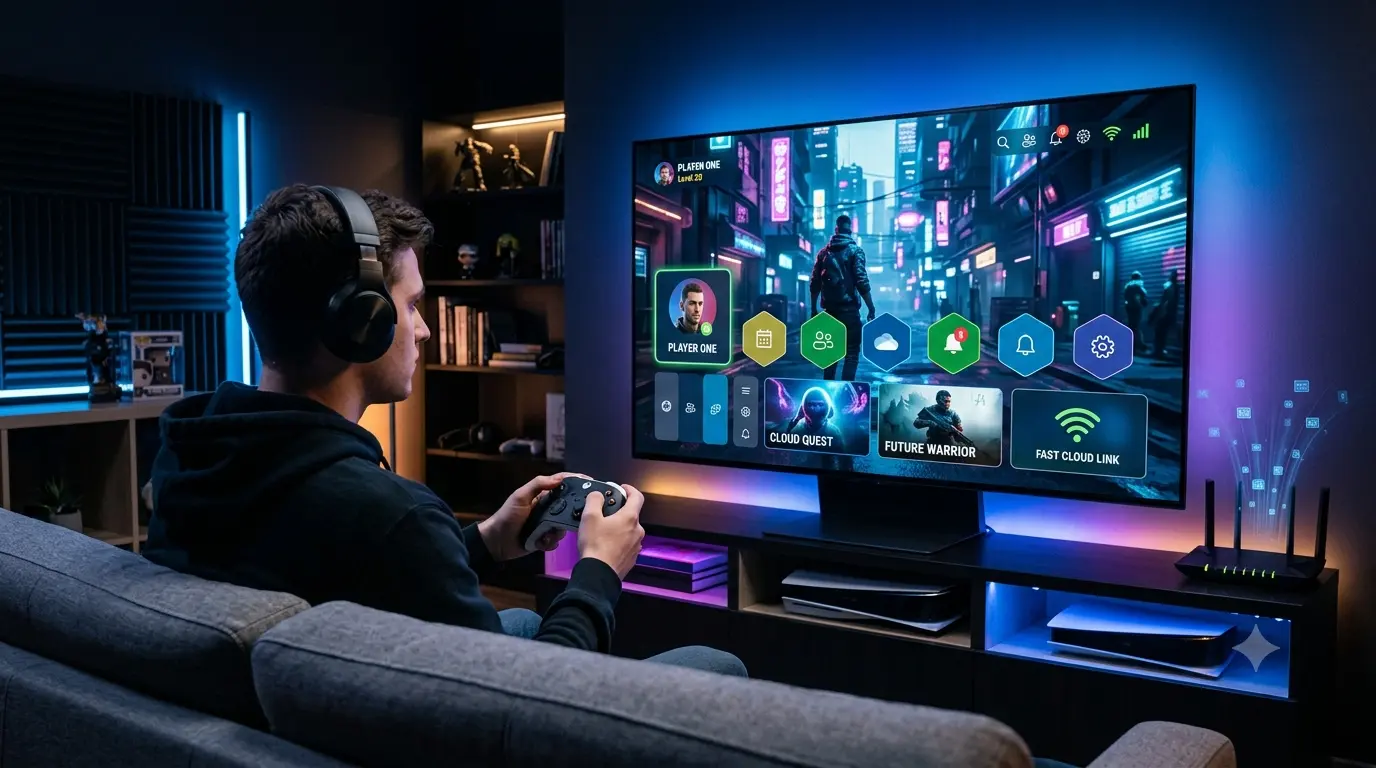
Gaming no longer requires an expensive console sitting under your television. In 2026, millions of players are streaming blockbuster titles directly to laptops, smartphones, tablets, smart TVs, and handheld devices without installing massive game files or upgrading hardware. At the center of this shift is Xbox Cloud Gaming, Microsoft’s cloud-based gaming platform that continues to expand alongside Xbox Game Pass Ultimate.
Interest in Xbox Cloud Gaming has surged across the United States as Microsoft adds new cloud-supported games, expands device compatibility, and continues investing in Game Pass despite broader changes within its Xbox business. July 2026 has brought fresh Game Pass additions such as Gears of War: Reloaded, Tony Hawk’s Pro Skater 1 + 2, and Palworld 1.0, helping keep cloud gaming at the center of conversations among Xbox fans.
At the same time, Microsoft is reshaping its gaming organization through significant restructuring, raising questions about the long-term direction of Xbox hardware and cloud services. While the company has reduced parts of its gaming workforce, executives continue positioning cloud gaming and Game Pass as major pillars of the Xbox ecosystem.
Whether you’re an Xbox owner, a PC gamer, or someone who has never purchased a console, Xbox Cloud Gaming makes it easier than ever to access hundreds of games from almost anywhere with a reliable internet connection.
This guide explains everything U.S. gamers need to know about Xbox Cloud Gaming in 2026, including how it works, supported devices, pricing, internet requirements, advantages, limitations, and whether it’s worth subscribing today.
Quick Snapshot
| Category | Details |
|---|---|
| Service | Xbox Cloud Gaming |
| Company | Microsoft |
| Launched As | Project xCloud |
| Available Through | Xbox Game Pass Ultimate |
| Best For | Gamers who want flexible gaming without expensive hardware |
| Supported Devices | PC, Android, iPhone/iPad browsers, Xbox consoles, Smart TVs, handheld devices |
| Main Advantage | Play Xbox games without large downloads or high-end hardware |
| Key Technology | Cloud streaming, Azure infrastructure, AI-powered optimization |
| Biggest Requirement | Stable, low-latency internet connection |
| Major Strength | Large Game Pass library and cross-device gaming |
| Main Limitation | Performance depends heavily on internet quality |
| Future Potential | Growth through cloud gaming, AI, and subscription-based entertainment |
Overall Rating: 8.5/10
Xbox Cloud Gaming is becoming an important part of Microsoft’s gaming strategy by making Xbox experiences more accessible, flexible, and device-independent.
What Is Xbox Cloud Gaming?
Xbox Cloud Gaming—previously known as Project xCloud—is Microsoft’s game streaming platform that allows players to stream Xbox games directly from Microsoft cloud servers instead of installing them locally.
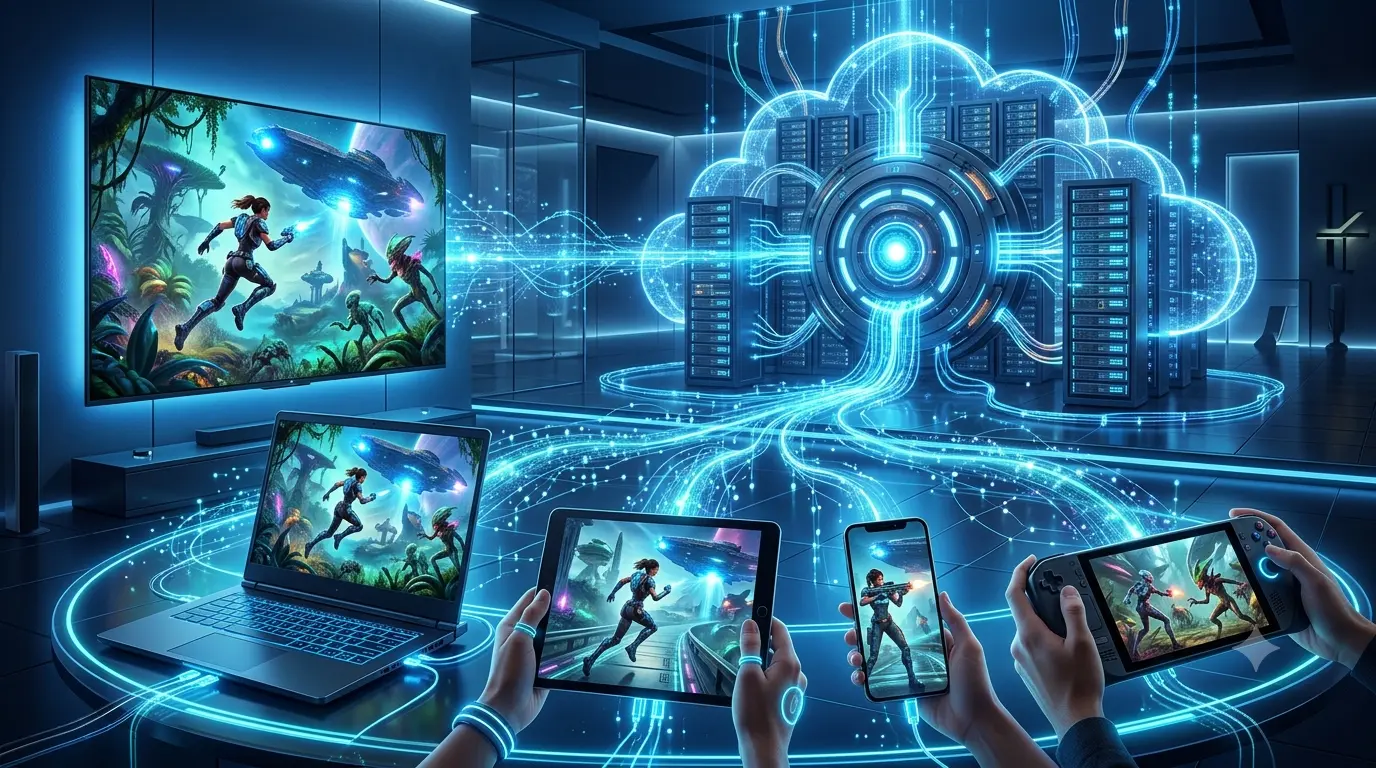
Rather than relying on your own hardware to render graphics, Microsoft runs the game in powerful cloud data centers and streams the video to your device in real time. Your controller inputs are sent back to the server almost instantly, creating an experience that feels remarkably close to playing on a physical Xbox console when your connection is stable. The service is included with Xbox Game Pass Ultimate, giving subscribers access to a large library of cloud-enabled games without requiring a dedicated Xbox console.
For many gamers, this means they can:
- Start playing within seconds.
- Avoid lengthy downloads.
- Save storage space.
- Continue progress across devices.
- Play high-end games on modest hardware.
Cloud gaming is especially attractive for casual players, travelers, students, and anyone who wants flexibility without investing in expensive gaming equipment.
Why Xbox Cloud Gaming Is Trending in 2026
Several factors have pushed Xbox Cloud Gaming back into the spotlight this year.
Continuous Game Pass Expansion
Microsoft continues to refresh Game Pass with new cloud-compatible releases every month. Recent additions include:
- Gears of War: Reloaded
- Tony Hawk’s Pro Skater 1 + 2
- Palworld 1.0
- The Planet Crafter
- PBA Pro Bowling 2026
These additions reinforce the value of Game Pass Ultimate for players who primarily stream games.
More Devices Than Ever
Cloud gaming is no longer limited to consoles.
Players can now access Xbox games across:
- Windows PCs
- Android devices
- iPhones and iPads (browser)
- Smart TVs
- Handheld gaming devices
- Compatible web browsers
This flexibility has made cloud gaming one of Microsoft’s biggest competitive advantages.
Microsoft’s Platform Strategy
Microsoft’s broader gaming strategy increasingly emphasizes making Xbox games available across multiple devices instead of relying solely on console sales. Recent organizational changes highlight that shift, with continued focus on Game Pass and cloud technologies even as the company restructures parts of its gaming business.
How Xbox Cloud Gaming Works
From a player’s perspective, Xbox Cloud Gaming feels almost like traditional gaming. You choose a game, press play, and start enjoying the experience within seconds. However, behind the scenes, the process involves advanced cloud computing technology, powerful servers, and real-time data communication between Microsoft’s infrastructure and your device.
Instead of downloading and running a game directly on your console, PC, or smartphone, the game runs on Microsoft’s cloud servers. Your device simply receives a live stream of the gameplay while sending your controls back to the server.
Here is how the process works:
Step 1: Choose a Cloud-Supported Game
The process begins when you open Xbox Cloud Gaming through a supported browser, Xbox app, or compatible device. After signing in with your Microsoft account, you select a game from the available cloud gaming library.
Step 2: The Game Runs on Microsoft’s Cloud Servers
Once you start a game, Microsoft launches it on powerful Xbox hardware located in its cloud data centers. These servers handle all the processing, graphics rendering, and game performance requirements. This means your device does not need high-end hardware to run demanding games.
Step 3: Gameplay Is Streamed to Your Device
Instead of downloading large game files, Xbox Cloud Gaming sends a live video stream of the game directly to your screen. Your device works similarly to a streaming platform, displaying the gameplay while Microsoft’s servers handle the heavy computing work in the background.
Step 4: Your Controls Are Sent Back to the Cloud
Every action you take—such as pressing a controller button, moving a joystick, or selecting an option—is instantly transmitted back to Microsoft’s servers. The cloud system processes these inputs and updates the game accordingly.
Step 5: Real-Time Gaming Experience
After processing your commands, the cloud server sends the updated gameplay back to your device within milliseconds. This continuous exchange of data happens many times every second, creating a smooth and interactive gaming experience without requiring a powerful gaming console or PC.
The quality of your experience depends largely on your internet connection, network stability, and distance from Microsoft’s data centers. With a reliable connection, Xbox Cloud Gaming can deliver a gaming experience that feels remarkably close to playing on local hardware.
Why Latency Matters
Unlike streaming movies, cloud gaming depends on extremely low input delay.
Performance is influenced by:
- Internet speed
- Network stability
- Distance from Microsoft’s data centers
- Wi-Fi quality
- Device performance
For the smoothest experience, many players prefer wired Ethernet connections or strong Wi-Fi 6 networks.
Key Features of Xbox Cloud Gaming
Xbox Cloud Gaming has evolved far beyond its original beta version. Today’s service includes features designed to make gaming more flexible, accessible, and convenient across multiple platforms.
Instant Access
Players can launch supported games in seconds without waiting for lengthy downloads or installations. This is especially useful for trying new titles before committing hours of storage space or download time.
Play Across Multiple Devices
Your gaming session isn’t tied to a single screen. You can begin playing on a Windows PC, continue on your tablet, and later resume on another compatible device using the same Microsoft account. Cloud saves automatically keep your progress synchronized.
No Expensive Gaming Hardware Required
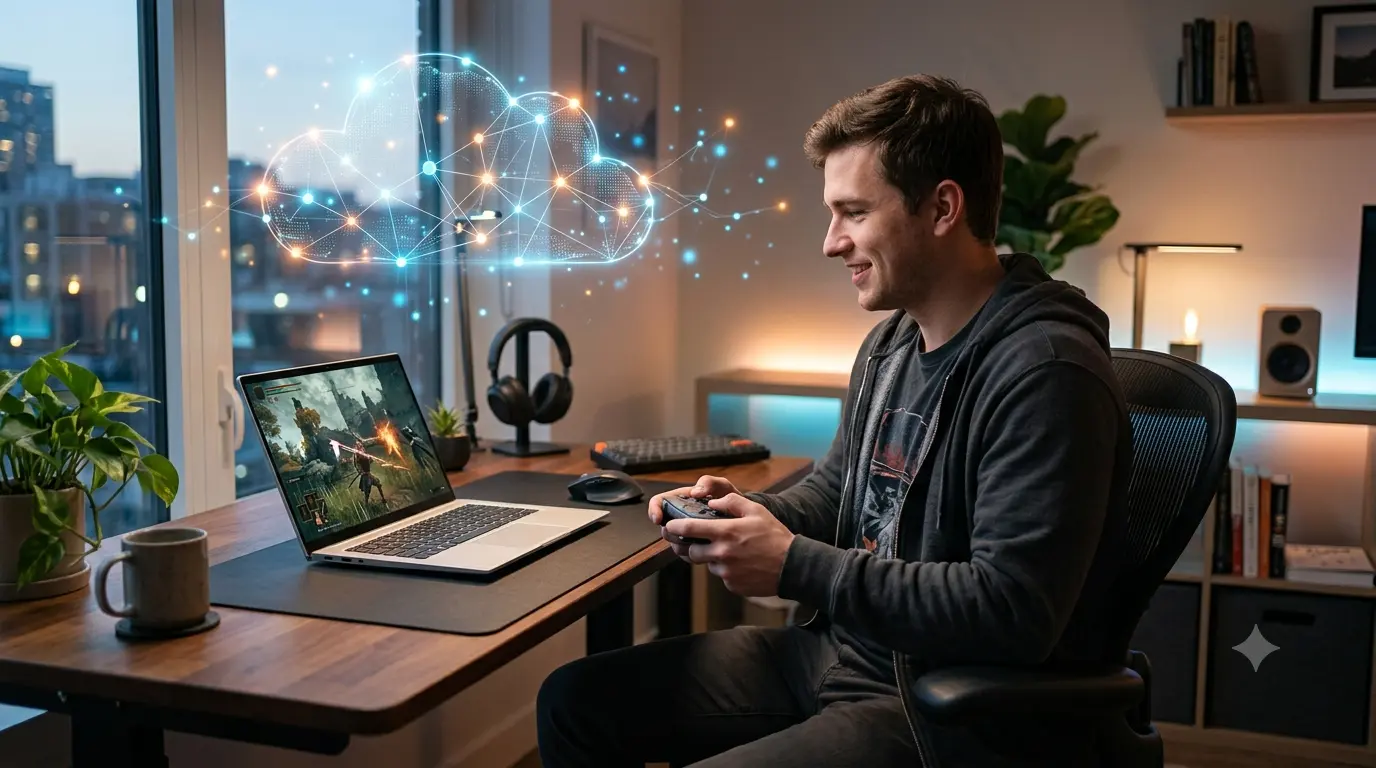
One of the biggest advantages is accessibility. Instead of purchasing a high-end gaming PC or the latest console, users can stream many modern Xbox games using hardware they already own, provided they have a strong internet connection.
Hundreds of Supported Games
Xbox Cloud Gaming continues to expand alongside Xbox Game Pass Ultimate.
Subscribers can access a rotating library of games spanning:
- Action
- RPG
- Racing
- Sports
- Adventure
- Indie
- Multiplayer
- Family-friendly titles
New cloud-compatible games are added regularly, helping keep the catalog fresh throughout the year.
Controller Support
Players can use:
- Xbox Wireless Controller
- Xbox Elite Controller
- Compatible Bluetooth controllers
- Select touch controls on supported mobile games
Some titles also support keyboard and mouse depending on platform compatibility.
Benefits of Xbox Cloud Gaming
Xbox Cloud Gaming provides several advantages that make it appealing to both casual players and dedicated gamers. By moving game processing to Microsoft’s cloud infrastructure, the service offers more flexibility, convenience, and accessibility compared to traditional gaming methods.
Play Games Anywhere
One of the biggest advantages of Xbox Cloud Gaming is the freedom to play across multiple devices. Your gaming experience is no longer limited to a single console or location. Whether you’re relaxing at home, traveling, staying with friends, or away from your main gaming setup, you can access your games from supported devices as long as you have a reliable internet connection. This flexibility is especially valuable for players who want to continue their progress without carrying additional gaming hardware.
Save Valuable Storage Space
Modern video games continue to become larger, with many AAA titles requiring more than 100 GB of storage space. Installing multiple games can quickly consume the available storage on a PC, console, tablet, or handheld device. With Xbox Cloud Gaming, many supported games run directly from Microsoft’s servers, reducing the need for large downloads and installations. This allows players to keep more free storage available while still enjoying high-quality gaming experiences.
Reduce Gaming Costs
Building a gaming setup can be expensive. Purchasing a gaming console, upgrading computer hardware, and buying individual games can require a significant investment. Xbox Cloud Gaming, through Xbox Game Pass Ultimate, provides access to a large game library through a single subscription. For many players, this can be a more affordable way to explore a wide range of games without purchasing every title separately. It is particularly useful for gamers who enjoy trying different games but do not want to spend money on every new release.
Discover More Games Easily
One of the benefits of cloud gaming is that it removes the hesitation of downloading or purchasing unfamiliar titles. Since games can be launched quickly without large installations, players are more likely to explore new genres, test different gameplay styles, and discover titles they may not have considered before. This makes Xbox Cloud Gaming an excellent option for players who enjoy variety and want access to a constantly changing collection of games.
Enjoy Automatic Updates and Faster Access
Traditional gaming often requires players to wait for large updates, patches, or installations before starting a game. With Xbox Cloud Gaming, games are maintained on Microsoft’s servers. Updates, improvements, and technical changes are handled in the cloud, allowing players to access the latest versions without manually downloading large files. This creates a smoother experience by reducing waiting times and making it easier to jump into games whenever you want.
Play Without Expensive Hardware Upgrades
High-performance gaming often requires powerful processors, graphics cards, and storage systems. Cloud gaming reduces the need for expensive hardware because most of the processing happens on Microsoft’s servers. Players can enjoy many demanding Xbox titles on devices that may not normally meet traditional gaming hardware requirements. This makes high-quality gaming more accessible to a wider audience.
Supported Devices for Xbox Cloud Gaming
One of the biggest reasons Xbox Cloud Gaming continues to gain popularity in the United States is its broad device compatibility. Unlike traditional console gaming, cloud gaming lets you play across multiple platforms without needing an Xbox console. As long as you have an active Xbox Game Pass Ultimate subscription and a stable internet connection, you can stream compatible games on a wide range of devices.
Windows PCs
Windows remains one of the best platforms for Xbox Cloud Gaming.
Players can stream games through:
- Xbox app
- Microsoft Edge
- Google Chrome
- Supported web browsers
Best For
- Office workers
- Students
- PC gamers
- Laptop users
Advantages
- Large display
- Controller support
- Mouse and keyboard support for selected games
- Easy access to Game Pass
Xbox Consoles
Even Xbox console owners benefit from cloud gaming.
Instead of downloading large games, players can stream them instantly while deciding whether to install them later.
Benefits include:
- Faster game access
- Storage savings
- Instant demos
- Quick game switching
Android Smartphones and Tablets
Android offers one of the most complete cloud gaming experiences.
Features include:
- Xbox Game Pass app
- Bluetooth controller support
- Touch controls for supported games
- Cloud saves
- Cross-device synchronization
This makes Android an excellent choice for gaming while traveling.
iPhone and iPad
Because of Apple’s App Store policies, Xbox Cloud Gaming runs through supported web browsers.
Despite this limitation, the experience is remarkably smooth for many users.
Supported browsers include:
- Safari
- Microsoft Edge
- Google Chrome
Smart TVs
Several smart TVs now support Xbox Cloud Gaming without requiring an Xbox console.
Players simply:
- Open the Xbox application (on supported models)
- Connect a Bluetooth controller
- Sign into Microsoft
- Start playing
This dramatically lowers the cost of entering the Xbox ecosystem.
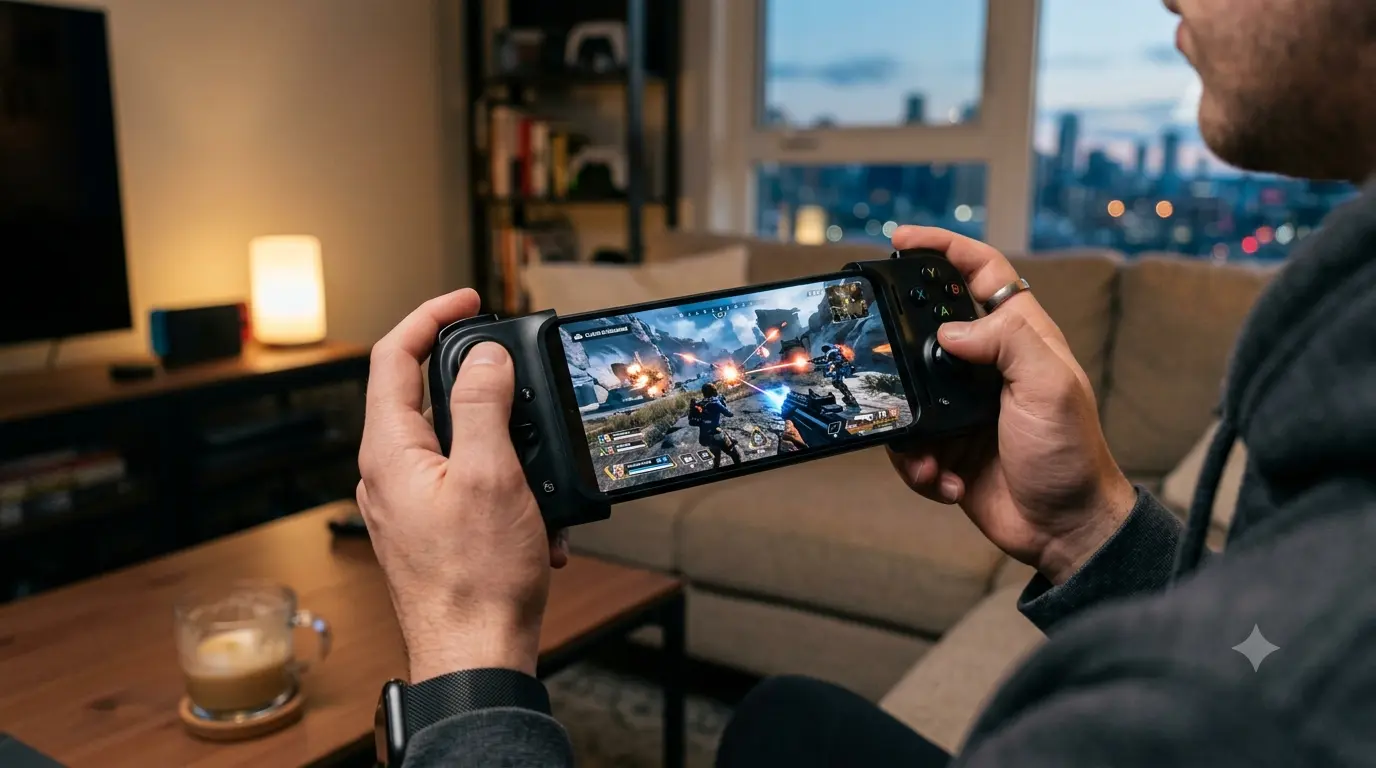
Handheld Gaming Devices
Portable Windows gaming devices have become increasingly popular in 2026.
Xbox Cloud Gaming performs well on many handheld PCs, allowing users to enjoy console-quality titles without installing every game locally.
Popular handheld devices include:
- ASUS ROG Ally series
- Lenovo Legion Go
- MSI Claw
- Other Windows-based handheld gaming PCs

Internet Requirements for Xbox Cloud Gaming
Since games are streamed in real time, internet quality has a major impact on performance.
Unlike downloading a game once, cloud gaming constantly transfers data while you play.
Recommended Internet Speeds
| Connection Type | Recommended Speed |
|---|---|
| Minimum | 20 Mbps |
| Recommended | 50 Mbps or higher |
| Competitive Gaming | 100 Mbps+ |
| 4K Streaming (where available) | 100–200 Mbps |
Higher speeds improve consistency but low latency is equally important.
Stable Connection Matters More Than Raw Speed
A stable 50 Mbps connection often performs better than an inconsistent 500 Mbps connection.
For the best experience:
- Use Ethernet whenever possible.
- Choose Wi-Fi 6 or Wi-Fi 6E.
- Stay close to your router.
- Reduce network congestion.
- Avoid downloading large files while gaming.
Understanding Latency
Latency refers to the delay between pressing a button and seeing the action on screen.
Lower latency provides:
- Faster response
- Better aiming
- Smoother gameplay
- Improved multiplayer performance
Fast-paced games like shooters and racing titles benefit most from low-latency connections.
Xbox Cloud Gaming Library
One of Xbox Cloud Gaming’s strongest advantages is its integration with Xbox Game Pass Ultimate.
Instead of purchasing every game individually, subscribers gain access to a rotating library of hundreds of titles across multiple genres.
Popular Game Categories
Players can stream games including:
- Action
- RPG
- Adventure
- Sports
- Racing
- Simulation
- Strategy
- Family
- Multiplayer
- Indie
First-Party Xbox Games
Microsoft continues releasing many first-party titles directly into Game Pass on launch day.
This provides tremendous value compared to purchasing every game separately.
Popular Xbox franchises include:
- Halo
- Forza
- Gears of War
- Minecraft
- Microsoft Flight Simulator
- Age of Empires
Third-Party Games
Game Pass also includes titles from numerous third-party publishers. The available catalog changes regularly as new games arrive while others rotate out. This constant refresh keeps the library attractive for subscribers.
Day-One Releases
One feature that distinguishes Xbox Game Pass from many competing services is access to numerous first-party games on launch day. Subscribers can often begin streaming newly released Xbox Studios titles immediately without purchasing them separately.
Xbox Cloud Gaming Pricing
Xbox Cloud Gaming is included with Xbox Game Pass Ultimate. Instead of paying separately for cloud gaming, subscribers receive multiple services under one membership.
Current benefits include:
- Xbox Cloud Gaming
- Xbox Game Pass Console
- PC Game Pass
- EA Play
- Online multiplayer
- Hundreds of games
- Cloud saves
While pricing may vary by region and future promotions, the bundled subscription remains Microsoft’s primary way to access Xbox Cloud Gaming.
Xbox Cloud Gaming vs Competitors
Cloud gaming has become increasingly competitive.
Here’s how Microsoft’s service compares with some major alternatives.
| Feature | Xbox Cloud Gaming | NVIDIA GeForce NOW | PlayStation Cloud Streaming |
|---|---|---|---|
| Subscription Included | Game Pass Ultimate | Separate plans | PlayStation Plus Premium |
| First-Party Games | Excellent | Depends on ownership | Excellent |
| Mobile Support | Excellent | Excellent | Limited |
| Smart TV Support | Strong | Growing | Limited |
| Cross-Platform Saves | Excellent | Good | Good |
| Ease of Use | Excellent | Moderate | Good |
Xbox Cloud Gaming
Pros
- Huge Game Pass library
- Excellent value
- First-party releases
- Wide device support
- Easy setup
Cons
- Requires Game Pass Ultimate
- Some games leave the catalog
- Performance depends on internet quality
NVIDIA GeForce NOW
Pros
- Excellent graphics
- Supports existing game libraries
- High-performance streaming
Cons
- Requires owning many games
- Library restrictions
- Premium tiers can become expensive
PlayStation Cloud Streaming
Pros
- Strong PlayStation exclusives
- Good console integration
Cons
- More limited device compatibility
- Smaller cloud ecosystem
Best Games to Play on Xbox Cloud Gaming
While nearly every cloud-supported title benefits from streaming, some games showcase the technology particularly well.
1. Forza Horizon Series
Beautiful graphics, quick loading, and smooth gameplay make Forza one of the best demonstrations of cloud gaming.
2. Halo Infinite
Fast matchmaking and cross-platform support continue to make Halo a popular cloud title.
3. Minecraft
Because it doesn’t require extremely low latency, Minecraft works particularly well through cloud streaming.
4. Gears of War: Reloaded
One of the newest additions to the Xbox ecosystem, Gears of War: Reloaded benefits from cloud play by allowing subscribers to jump into the action without lengthy downloads.
5. Microsoft Flight Simulator
Cloud streaming makes this storage-intensive simulator far more accessible to users without high-end gaming PCs.
6. Sea of Thieves
Whether you’re playing solo or with friends, cloud access allows you to jump into multiplayer sessions quickly from multiple devices.
7. Grounded
This cooperative survival game performs well on cloud streaming and is ideal for casual sessions across PC, mobile, and supported devices.
8. Hi-Fi Rush
Its vibrant visuals and rhythm-based gameplay highlight the responsiveness of Microsoft’s cloud infrastructure when paired with a stable internet connection.
Industry Trends for 2026
Cloud gaming continues evolving rapidly.
Several trends are shaping Xbox Cloud Gaming this year.
AI-Powered Cloud Infrastructure
Microsoft continues investing heavily in artificial intelligence across Azure.
These technologies are expected to improve:
- Server efficiency
- Game streaming quality
- Latency optimization
- Resource allocation
- Predictive networking
More Device Independence
Microsoft’s long-term strategy increasingly focuses on allowing users to play Xbox games anywhere rather than limiting experiences to dedicated consoles. This philosophy is driving broader support across PCs, mobile devices, smart TVs, and handheld gaming hardware.
Faster Internet Adoption
Expansion of fiber internet, Wi-Fi 7, and improved 5G networks across the United States is making cloud gaming more practical for a larger audience. Lower latency and higher bandwidth continue to improve the overall experience.
Expansion of Xbox Play Anywhere
Microsoft continues strengthening its Play Anywhere ecosystem, allowing compatible games, cloud saves, achievements, and player progress to move seamlessly between supported devices. This creates a more flexible gaming experience and reinforces Microsoft’s vision of Xbox as a platform rather than a single piece of hardware.
Growth of Subscription Gaming
Subscription-based gaming continues to reshape how consumers access entertainment. Instead of buying every title individually, more players are choosing services like Game Pass to access large libraries, day-one releases, and cloud streaming through a single subscription. This trend is expected to remain a major driver of Xbox Cloud Gaming adoption throughout 2026.

Common Mistakes to Avoid When Using Xbox Cloud Gaming
Even though Xbox Cloud Gaming is designed to be easy to use, many players don’t get the best experience because of avoidable mistakes. Understanding these common issues can help you enjoy smoother gameplay and get more value from your Xbox Game Pass Ultimate subscription.
1. Using Slow or Unstable Internet
The biggest factor affecting cloud gaming performance isn’t your device—it’s your internet connection.
Common problems include:
- Input lag
- Video compression
- Audio delays
- Random disconnects
- Blurry graphics
Best Practice: Use a stable broadband connection with at least 50 Mbps download speeds and connect via Ethernet or Wi-Fi 6 whenever possible.
2. Playing on Crowded Wi-Fi Networks
Streaming games requires a consistent connection. If multiple people are streaming movies, downloading files, or attending video meetings on the same network, gameplay quality can suffer.
Tip: Play during periods of lower network activity or prioritize gaming traffic through your router’s Quality of Service (QoS) settings.
3. Ignoring Controller Compatibility
While many Bluetooth controllers work well with Xbox Cloud Gaming, not every controller supports every device equally.
Before purchasing a controller, verify compatibility with:
- Windows PC
- Android
- iPhone
- Smart TV
- Tablet
Using officially supported controllers generally provides the most reliable experience.
4. Expecting Every Xbox Game to Support Cloud Gaming
Not every Xbox title is available through the cloud.
Some games:
- Leave the Game Pass catalog
- Don’t support cloud streaming
- Require installation
Always check whether a game displays the Cloud icon before launching.
5. Overlooking Data Usage
Cloud gaming uses significantly more data than streaming music or browsing the web.
Depending on video quality, several hours of gameplay can consume many gigabytes of data.
Players using mobile hotspots or limited internet plans should monitor monthly data usage carefully.
6. Forgetting to Update Devices
Although games run on Microsoft’s servers, keeping your device updated helps ensure compatibility, security, and optimal controller performance.
Regularly update:
- Operating system
- Xbox app
- Web browser
- Controller firmware
7. Choosing the Wrong Display for Competitive Gaming
While Xbox Cloud Gaming works well for many genres, highly competitive esports players may still prefer local hardware for the lowest possible latency.
For casual gaming, RPGs, adventure titles, racing games, and many multiplayer experiences, cloud performance is more than sufficient with a strong connection.
Expert Insights
Xbox Cloud Gaming has matured into one of the most polished cloud gaming services available today, but its success depends on matching the right expectations with the right use cases.
Here are several expert observations based on current industry trends.
Cloud Gaming Is Complementing Consoles—Not Replacing Them
Despite rapid improvements, cloud gaming isn’t eliminating traditional consoles.
Instead, Microsoft is building an ecosystem where players can move seamlessly between:
- Xbox consoles
- Windows PCs
- Smartphones
- Tablets
- Smart TVs
- Handheld gaming PCs
This flexibility allows gamers to choose the device that best fits their situation without losing progress.
Game Pass Continues to Drive Value
One of Xbox Cloud Gaming’s biggest strengths is its integration with Xbox Game Pass Ultimate. Instead of purchasing individual games at full price, subscribers gain access to a large and frequently updated library, making it easier to discover new titles and revisit classic franchises. For players who enjoy trying different games throughout the year, the subscription model can provide significant value.
Internet Infrastructure Is Becoming a Competitive Advantage
As fiber broadband, Wi-Fi 7, and faster mobile networks expand across the United States, cloud gaming performance continues to improve. Better connectivity reduces latency, improves video quality, and makes streaming high-end games practical for more households.
AI Will Play a Larger Role
Microsoft’s investment in artificial intelligence and Azure cloud infrastructure is expected to enhance cloud gaming over time.
Potential improvements include:
- Faster game loading
- Smarter server allocation
- Reduced latency
- Improved stream quality
- Better predictive networking
These advancements could make cloud gaming feel even closer to local hardware performance.
Subscription Gaming Will Continue Growing
The gaming industry is steadily moving toward subscription-based services. Just as streaming transformed movies and music, services like Xbox Game Pass are changing how players discover and access games. Rather than building large physical collections, many gamers now prioritize flexibility, convenience, and ongoing access to a diverse catalog.
Author Review
Xbox Cloud Gaming represents one of the biggest shifts happening in the gaming industry as players move from traditional hardware-based gaming toward flexible cloud-powered experiences. This article provides a detailed overview of how Microsoft’s cloud gaming platform works, why it has gained popularity in 2026, and how it fits into the broader Xbox ecosystem.
The guide effectively explains important aspects such as device compatibility, Game Pass integration, internet requirements, advantages, limitations, and future industry trends. It also highlights how cloud gaming is making high-quality gaming more accessible for users who may not want to invest in expensive consoles or gaming PCs.
Overall, Xbox Cloud Gaming shows Microsoft’s long-term vision of transforming Xbox from a single gaming device into a connected gaming platform available across multiple screens. While internet performance remains a key factor, the continued growth of cloud infrastructure, AI technology, and subscription-based gaming makes Xbox Cloud Gaming a significant player in the future of interactive entertainment.
Frequently Asked Questions (FAQs)
1. What is Xbox Cloud Gaming?
Xbox Cloud Gaming is Microsoft’s game streaming service that lets you play supported Xbox games over the internet without downloading or installing them on your device.
2. Do I need an Xbox console to use Xbox Cloud Gaming?
No. You can stream supported games on Windows PCs, smartphones, tablets, select smart TVs, and compatible web browsers without owning an Xbox console.
3. Is Xbox Cloud Gaming free?
No. Xbox Cloud Gaming is included with an active Xbox Game Pass Ultimate subscription.
4. What internet speed is recommended?
For the best experience, Microsoft recommends a stable broadband connection. In practice, many users find 50 Mbps or higher with low latency provides smooth gameplay, while faster connections can improve consistency.
5. Can I play with friends on Xbox consoles?
Yes. Many cloud-supported games include online multiplayer, allowing cloud players to join friends on Xbox consoles or compatible PC versions, depending on the game.
6. Does Xbox Cloud Gaming save my progress?
Yes. Cloud saves synchronize your game progress across supported devices when you’re signed in with the same Microsoft account.
7. Which devices support Xbox Cloud Gaming?
Supported devices include:
- Windows PCs
- Android phones and tablets
- iPhone and iPad (through supported browsers)
- Select Smart TVs
- Xbox consoles
- Compatible handheld gaming PCs
8. Can I use a keyboard and mouse?
Some cloud-supported games offer keyboard and mouse support, but many titles are designed primarily for controllers. Compatibility varies by game.
9. Is Xbox Cloud Gaming worth it in 2026?
For many players, yes. If you enjoy a variety of games, want to avoid lengthy downloads, or don’t own high-end gaming hardware, Xbox Cloud Gaming combined with Game Pass Ultimate offers strong overall value.
10. What are the biggest advantages of Xbox Cloud Gaming?
The biggest benefits include:
- No large downloads
- Play on multiple devices
- Access to a broad Game Pass library
- Automatic cloud saves
- Lower hardware requirements
- Convenient gaming almost anywhere with a reliable internet connection
Conclusion
Xbox Cloud Gaming has evolved from an experimental streaming platform into one of the most compelling services in the gaming industry. In 2026, it offers U.S. gamers the freedom to enjoy console-quality experiences across PCs, smartphones, tablets, smart TVs, and other compatible devices—all without relying on expensive hardware or waiting for massive downloads.
Its close integration with Xbox Game Pass Ultimate makes the service especially appealing. Instead of purchasing every game individually, subscribers gain access to a continually updated catalog that includes first-party Xbox releases, popular third-party titles, and cloud-enabled games that can be played almost instantly. This combination of convenience, flexibility, and value has helped position Xbox Cloud Gaming as a key part of Microsoft’s long-term gaming strategy.
That said, cloud gaming isn’t a perfect replacement for traditional hardware in every scenario. Fast-paced competitive games still benefit from low-latency local systems, and your overall experience depends heavily on the quality of your internet connection. For most casual players, families, travelers, and gamers who value accessibility, however, the advantages often outweigh these limitations.
As internet infrastructure improves and Microsoft continues investing in Azure, Game Pass, and cloud technologies, Xbox Cloud Gaming is likely to become even more capable. Better streaming quality, broader device support, and deeper integration with the Xbox ecosystem are expected to make cloud gaming an increasingly important part of how people play.
If you’re looking for a flexible way to experience modern Xbox games without committing to new hardware, Xbox Cloud Gaming is one of the strongest options available today. With a stable internet connection and an Xbox Game Pass Ultimate subscription, you can start playing across multiple devices in minutes—bringing the Xbox experience wherever you are.

SoftwareCompanyNearMe Editorial Team is dedicated to researching and publishing trusted content about U.S. software companies, SaaS platforms, artificial intelligence (AI), cloud computing, cybersecurity, and enterprise technology. Our goal is to help businesses, IT professionals, and software buyers make informed decisions through accurate, well-researched, and regularly updated technology guides, company reviews, and industry insights.