
15 Best AI Development Tools in 2026: Top Platforms
Building software in 2026 looks different from it did just a few years ago. Developers can now use artificial intelligence to write code, explain unfamiliar projects, find bugs, generate tests, build application interfaces, and even handle multi-step development tasks.
But there is a problem: the number of AI development tools has grown so quickly that choosing one can feel like another full-time job. Some tools work inside your code editor. Others operate from the terminal, understand entire repositories, or turn a plain-English description into a working application.
And the tool that helps a solo developer move faster is not automatically the right choice for a software engineering team. A startup building its first product may want an AI app builder. An experienced developer working on a large codebase may need a coding agent that can inspect files, understand project structure, and propose changes across multiple components.
That is why this guide looks beyond simple autocomplete. We compare 15 of the best AI development tools in 2026, covering coding assistants, AI agents, application builders, and platforms that help developers work with AI models.
Whether you are a professional developer, a startup founder, a student, or a business evaluating AI-powered software development, this list will help you understand what each platform does, where it fits, and what to consider before paying for a subscription.
Quick Comparison: 15 Best AI Development Tools in 2026
Start with this comparison to see how the tools differ. They are not all direct competitors: some are coding assistants, some are development agents, and others are visual or prompt-driven application builders.
| Tool | Best For | Primary Use | Who Should Consider It? |
|---|---|---|---|
| Cursor | AI-first coding workflow | Code editing and project context | Developers and teams |
| GitHub Copilot | Everyday coding assistance | Code suggestions, chat, agent workflows | Individual developers and teams |
| Claude Code | Terminal-based coding agents | Repository tasks and code changes | Experienced developers |
| OpenAI Codex | Delegating coding tasks | Code generation and software tasks | Developers and engineering teams |
| Windsurf | AI-powered code editing | IDE assistance and agent workflows | Developers |
| Gemini Code Assist | Google ecosystem development | Code assistance and explanations | Developers and cloud teams |
| Amazon Q Developer | AWS development workflows | Cloud coding and AWS assistance | AWS developers |
| Replit | Browser-based app development | Build, run, and deploy projects | Beginners and small teams |
| v0 | UI and frontend generation | Interfaces and web application prototypes | Frontend developers and founders |
| Bolt.new | Prompt-to-app development | Web app creation in the browser | Founders and developers |
| Lovable | Fast product prototyping | AI-assisted full-stack app building | Nontechnical founders and teams |
| Tabnine | AI code completion | Code suggestions and team assistance | Professional development teams |
| Continue | Flexible AI coding workflows | Open-source AI coding assistance | Developers who want customization |
| Sourcegraph Cody | Codebase understanding | Code search and AI assistance | Teams with large repositories |
| LangGraph | Building AI agent systems | Agent orchestration and workflows | AI application developers |
One thing to remember: A code assistant, an AI agent, and an AI application framework solve different problems. Choosing between them based only on popularity can lead to the wrong tool for your project.
How We Selected These AI Development Tools
This is an editorial comparison based on publicly available product information, documentation, and the reference guides reviewed for this article. It is not a laboratory benchmark or a claim that every platform has been independently tested by our editorial team.
We considered several practical factors when selecting the tools:
- Development workflow: Whether the tool supports coding, debugging, testing, application building, or AI system development.
- Developer experience: Whether it works in an IDE, terminal, browser, cloud workspace, or another familiar environment.
- Project context: Whether it can work with individual files, multiple files, or broader codebase context.
- Automation: Whether it can suggest code or take on more involved tasks with human review.
- Flexibility: Whether developers can use different models, customize workflows, or connect existing tools.
- Practical fit: Whether it is more suitable for beginners, professional developers, startups, or larger engineering teams.
Product capabilities, plan limits, and availability can change. Check the official product pages before making a purchasing or deployment decision. Inclusion in this guide does not mean a product is endorsed by SoftwareCompanyNearMe.

1. Cursor – Best for an AI-First Coding Workflow
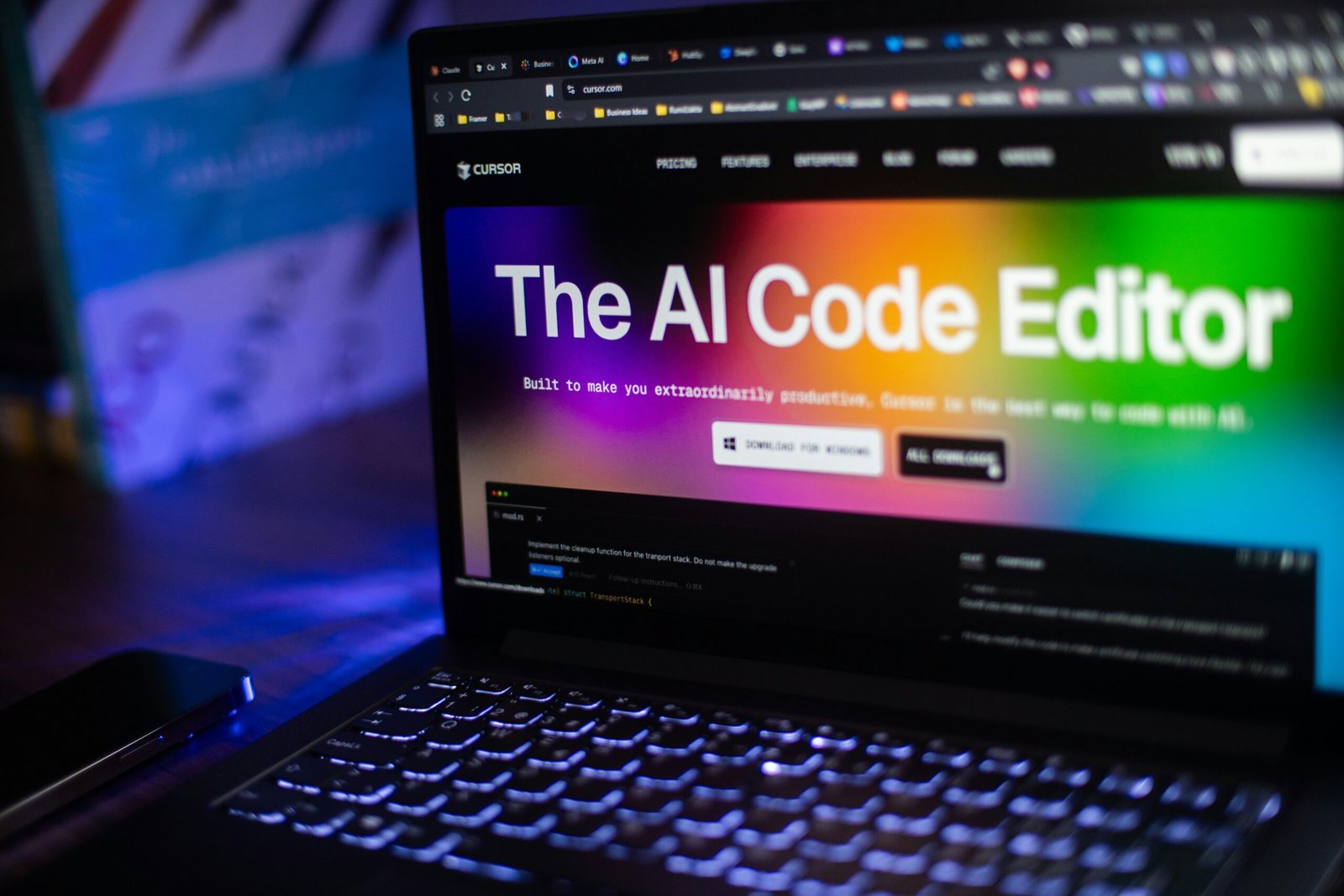
Cursor is an AI-powered code editor designed to make AI assistance part of the everyday development experience. Rather than treating AI as a separate chatbot, Cursor brings code generation, editing, and project-aware assistance into the editor workflow.
For developers who spend most of their day working in an IDE, that can make a meaningful difference. You can ask questions about code, request changes, work through errors, and use AI assistance while staying close to the project itself.
Key Features
- AI-assisted code generation and editing
- Codebase-aware questions and explanations
- Multi-file editing workflows
- Agent-style development capabilities
- Support for modern software development workflows
What Stands Out
Cursor is designed around the idea that developers should be able to work with AI without constantly switching between their editor and a separate chat window. Its approach is particularly interesting for people who want assistance with more than single-line autocomplete.
Potential Limitations
- AI-generated changes still need careful review and testing.
- Usage limits and model access can depend on the subscription plan.
- Developers may need time to adjust to an AI-first editor workflow.
Who Should Consider Cursor?
Professional developers, independent programmers, and engineering teams that want an AI-centered coding environment may find Cursor worth evaluating.
Visit Cursor’s official website
2. GitHub Copilot – Best for Everyday Coding Assistance
GitHub Copilot is one of the most recognizable AI coding assistants. It is designed to help developers write code, understand programming concepts, generate suggestions, and work through development tasks from supported environments.
Its connection with GitHub makes it particularly relevant for developers and organizations that already use GitHub for source control, collaboration, and software delivery.
Key Features
- AI-powered code completion
- Code explanations and chat assistance
- Support for multiple development environments
- Agent-oriented coding workflows
- Integration with GitHub development processes
What Stands Out
Copilot fits into existing development habits rather than requiring every developer to adopt a completely different editor. That makes it a practical option for teams that want to introduce AI assistance into an established workflow.
Potential Limitations
- Suggestions may be incomplete or incorrect.
- Plan features and usage allowances can vary.
- Organizations should review code privacy, access, and governance settings.
Who Should Consider GitHub Copilot?
Individual developers, students, and engineering teams that already use GitHub and want an integrated coding assistant should consider it.
Explore GitHub Copilot
3. Claude Code – Best for Terminal-Based Coding Agents
Claude Code is a coding agent from Anthropic that works with developer projects through a terminal-oriented workflow. It is designed to help with coding tasks that can involve understanding project files, making changes, and working through multi-step development problems.
This approach is different from a traditional autocomplete tool. Instead of only suggesting the next line, an agent can be asked to investigate a problem, propose a plan, and work through a set of changes. Developers remain responsible for reviewing the result.
Key Features
- Terminal-based coding assistance
- Repository exploration and code understanding
- Multi-step coding tasks
- Code changes across project files
- Developer-controlled review and workflow
What Stands Out
Claude Code is aimed at developers who are comfortable working with terminals and want an AI agent that can participate in broader coding tasks. It can be useful when the work involves understanding how several parts of a project fit together.
Potential Limitations
- It may be less approachable for people who are new to command-line development.
- Developers need to inspect proposed changes before accepting them.
- Model usage and subscription costs should be reviewed for larger projects.
Who Should Consider Claude Code?
Experienced developers, technical founders, and engineering teams handling multi-file changes or repository-level tasks may want to evaluate it.
Explore Claude Code
4. OpenAI Codex – Best for Delegating Coding Tasks
OpenAI Codex is an AI coding agent designed to help developers work through software engineering tasks. Its role is broader than simply answering programming questions: developers can delegate coding work and review the output as part of their development process.
For engineering teams, this kind of workflow can be useful when a project contains repetitive implementation tasks, bug investigations, or changes that can be separated into clearly defined pieces of work.
Key Features
- AI-assisted software engineering tasks
- Code generation and modification
- Support for working through development problems
- Agent-based task workflows
- Human review of generated work
What Stands Out
Codex is relevant to the growing shift from asking AI to write a snippet toward delegating more complete software tasks. The developer can define the objective, provide project context, and review the proposed work.
Potential Limitations
- Generated code needs testing before production use.
- Task complexity and environment setup can affect results.
- Availability and usage limits depend on the current product plan.
Who Should Consider OpenAI Codex?
Developers and software teams interested in agent-based coding workflows should explore Codex, particularly if they want to delegate well-defined tasks while retaining control over final changes.
Visit OpenAI Codex
5. Windsurf – Best for AI-Powered Code Editing
Windsurf is an AI-focused development environment built around helping developers work with code and AI assistance in one place. Its editor-oriented approach is designed to make it easier to move between understanding a project, generating code, and improving an existing implementation.
Key Features
- AI-assisted code editing
- Context-aware development assistance
- Agent-style coding workflows
- Code generation and debugging support
- Integrated development experience
What Stands Out
Windsurf is aimed at developers who want AI to be a regular part of their coding environment. Its appeal is the combination of editor-based work and more involved AI-assisted actions.
Potential Limitations
- Developers should compare its workflow with other AI editors before switching.
- Generated code can still introduce bugs or unwanted changes.
- Features and plan limits can change over time.
Who Should Consider Windsurf?
Developers who prefer an AI-native editor and want to explore agent-assisted programming may find Windsurf worth testing.
Visit Windsurf
6. Gemini Code Assist – Best for Google Development Workflows
Gemini Code Assist is Google’s AI coding assistance product. It is designed to support developers with code generation, explanations, and other programming tasks across supported development environments.
For teams already working with Google Cloud or Google’s developer ecosystem, it is a natural product to investigate. It can help with everyday coding questions while fitting into a broader cloud development workflow.
Key Features
- AI-assisted code generation
- Code explanations and development help
- Support for supported IDE workflows
- Assistance with common programming tasks
- Google Cloud-oriented development support
What Stands Out
Gemini Code Assist connects Google’s AI capabilities with developer workflows. It is worth comparing if your organization already uses Google Cloud or other Google developer services.
Potential Limitations
- Capabilities can vary by edition and environment.
- Generated code should be checked for correctness and security.
- Teams should review data handling and enterprise settings.
Who Should Consider Gemini Code Assist?
Developers, cloud engineers, and organizations using Google technologies should consider evaluating it.
Explore Gemini Code Assist
7. Amazon Q Developer – Best for AWS Development
Amazon Q Developer is an AI-powered assistant from Amazon Web Services. It is designed to help developers with coding tasks and AWS-related development workflows.
Cloud development often involves more than writing application code. Developers also need to understand infrastructure, permissions, services, deployment choices, and operational issues. An assistant connected to the AWS ecosystem can be useful when those concerns are part of everyday work.
Key Features
- AI-assisted code generation
- Programming explanations and suggestions
- AWS service and development assistance
- Support for cloud-focused workflows
- Help with selected development and modernization tasks
What Stands Out
Its AWS focus makes it particularly relevant to developers who build, deploy, or maintain applications on Amazon’s cloud platform.
Potential Limitations
- It may offer less value to teams that do not use AWS.
- Cloud configuration and security decisions still require expertise.
- Plan features and usage limits should be checked before adoption.
Who Should Consider Amazon Q Developer?
AWS developers, cloud architects, and engineering teams working with AWS services should evaluate it.
Visit Amazon Q Developer
8. Replit – Best for Browser-Based AI App Development
Replit is an online development platform that lets users write, run, and manage code through a browser-based environment. Its AI features are designed to help users move from an idea toward a working project.
One of its biggest advantages is that users do not necessarily need to configure a full local development environment before getting started. That can make it attractive for beginners, students, founders, and developers who want to prototype quickly.
Key Features
- Browser-based coding environment
- AI-assisted application development
- Project execution and collaboration features
- Tools for prototyping and building applications
- Deployment-oriented workflows
What Stands Out
Replit brings development tools into one accessible workspace. It can reduce setup friction for people who want to experiment with an idea or create an early version of an application.
Potential Limitations
- Complex production applications may require additional engineering work.
- Cloud resources and paid features can affect total costs.
- Generated applications still need security, performance, and reliability reviews.
Who Should Consider Replit?
Students, beginners, independent developers, and startup founders who want to build or test ideas in a browser-based environment may find Replit useful.
Visit Replit
9. v0 – Best for AI-Generated User Interfaces
v0 is an AI-powered tool from Vercel focused on generating user interfaces and web application components from natural-language instructions. It is particularly relevant to frontend development and rapid interface prototyping.
Instead of starting every interface from a blank screen, developers can describe the layout or component they want and use AI-generated output as a starting point. The result can then be refined and integrated into a larger application.
Key Features
- Prompt-based UI generation
- Frontend component creation
- Support for iterative design changes
- Web development workflow integration
- Rapid interface prototyping
What Stands Out
v0 focuses on one of the most visible parts of application development: the user interface. It can help teams explore layouts and build early frontend concepts more quickly.
Potential Limitations
- Generated interfaces may need accessibility and responsive-design improvements.
- Backend logic and production architecture require additional work.
- Developers should review generated code before using it in a live application.
Who Should Consider v0?
Frontend developers, product designers, and founders who need to create or iterate on web interfaces should consider v0.
Explore v0
10. Bolt.new – Best for Prompt-to-App Web Development
Bolt.new is a browser-based AI development tool designed to help users create web applications through natural-language prompts. It brings an AI-assisted coding workflow into a browser environment, making it possible to start building without setting up a traditional local workspace first.
For a founder who wants to test an idea, or a developer who wants to create a quick prototype, this can be an appealing way to explore an application concept.
Key Features
- Prompt-driven application creation
- Browser-based development workflow
- AI-assisted code generation and editing
- Rapid prototyping and iteration
- Support for web application workflows
What Stands Out
Bolt.new makes it easier to move from a written description toward an interactive prototype. Users can refine the application through follow-up instructions rather than manually creating every starting component.
Potential Limitations
- Complex requirements may need manual development and debugging.
- Generated code should be reviewed for maintainability and security.
- Usage allowances and hosting costs should be checked before scaling.
Who Should Consider Bolt.new?
Startup founders, product teams, and developers who want to prototype web applications quickly may find Bolt.new worth testing.
Visit Bolt.new
11. Lovable – Best for Fast Product Prototyping
Lovable is an AI-powered application-building platform that helps users create software through natural-language instructions. It is designed to make early product development more accessible, especially for people who do not want to begin by writing every component manually.
For a startup founder, this can be useful when the goal is to explore a product idea, create a demo, or get an early version in front of potential users. Developers can also use the generated project as a starting point for more detailed engineering work.
Key Features
- Natural-language application building
- AI-assisted interface and application generation
- Iterative changes through prompts
- Tools for early product development
- Development workflows that can be extended by technical teams
What Stands Out
Lovable is aimed at reducing the distance between a product idea and an early working version. That can be valuable during the discovery and validation stages of a startup.
Potential Limitations
- A prototype is not automatically a production-ready application.
- Security, data handling, and backend architecture need careful review.
- Advanced customization may require developer involvement.
Who Should Consider Lovable?
Nontechnical founders, product managers, designers, and small teams exploring new application ideas may want to evaluate Lovable.
Explore Lovable
12. Tabnine – Best for AI Code Completion
Tabnine is an AI coding assistant focused on helping developers write code more efficiently. It offers code completion and other AI-assisted development capabilities designed for individual programmers and professional teams.
For developers who prefer to keep their existing editor and coding habits, an assistant that fits into the current workflow can be easier to adopt than switching to a completely new environment.
Key Features
- AI-powered code completion
- Code generation and explanations
- Support for development environments
- Team-oriented AI coding assistance
- Enterprise-focused options and controls
What Stands Out
Tabnine is worth evaluating for organizations that want AI coding assistance while paying attention to governance, developer workflows, and enterprise requirements.
Potential Limitations
- Developers should compare its capabilities with other coding assistants.
- Advanced features may depend on the selected plan.
- Code suggestions still require testing and review.
Who Should Consider Tabnine?
Professional developers and engineering organizations looking for AI coding assistance with team-oriented considerations may want to include Tabnine in their evaluation.
Visit Tabnine
13. Continue – Best for Customizable AI Coding Workflows
Continue is an open-source AI development platform that gives developers flexibility in how they use AI within their coding workflow. It is relevant to programmers who want more control over models, configuration, and the way AI assistance is integrated into their environment.
That flexibility can appeal to technical teams that do not want to rely on a single fixed setup. Developers can explore how different models and configurations fit their projects.
Key Features
- Open-source AI coding workflows
- Customizable development assistance
- Model and configuration flexibility
- Developer-oriented integrations
- Support for tailored AI workflows
What Stands Out
Continue is interesting because it gives technically confident developers more room to customize their AI development experience rather than treating the assistant as a fixed product.
Potential Limitations
- Customization can require additional technical setup.
- Model selection and hosting may introduce separate costs.
- Teams need to manage configuration and security carefully.
Who Should Consider Continue?
Developers who value open-source tooling, customization, and control over their AI setup should consider it.
Explore Continue
14. Sourcegraph Cody – Best for Understanding Large Codebases
Sourcegraph Cody is an AI coding assistant associated with Sourcegraph’s code search and code intelligence capabilities. Its relevance comes from the challenge of understanding large repositories, where finding the right file or understanding how components connect can take considerable time.
In larger software projects, developers often spend as much time navigating existing code as they do writing new code. Tools that help explain code and locate relevant context can be valuable in those situations.
Key Features
- AI-assisted code understanding
- Codebase-oriented assistance
- Code search and navigation workflows
- Programming explanations
- Support for working with existing software projects
What Stands Out
Its code intelligence background makes Sourcegraph relevant to developers who need to navigate complex repositories rather than only generate new code.
Potential Limitations
- Teams should verify current product availability and supported workflows.
- Large-codebase context still needs human interpretation.
- Enterprise deployment and access requirements should be reviewed.
Who Should Consider Sourcegraph?
Engineering teams that work with large repositories and need better code navigation and understanding should investigate Sourcegraph’s current AI offerings.
Explore Sourcegraph
15. LangGraph – Best for Building AI Agent Applications
LangGraph is a framework for building applications that use AI agents and structured workflows. Unlike a typical coding assistant, it is aimed at developers who are creating AI-powered products rather than simply asking AI to help write software.
For example, a company might want to build an AI system that can receive a user request, decide which step to take next, use approved tools, retain relevant state, and ask a person to review an important action. That type of application needs more than a chat interface.
Key Features
- Framework for building agent workflows
- Stateful application orchestration
- Control over multi-step execution
- Support for human-in-the-loop patterns
- Integration with the broader LangChain ecosystem
What Stands Out
LangGraph focuses on the architecture behind AI agents. Developers can define how an agent moves through steps and how an application handles decisions, state, and review points.
Potential Limitations
- It requires software development and AI application knowledge.
- Agent workflows need testing, monitoring, and guardrails.
- Model usage and infrastructure can add operational costs.
Who Should Consider LangGraph?
AI engineers, backend developers, and teams building agent-based applications should consider LangGraph as part of their technical evaluation.
Explore LangGraph
AI Coding Assistant vs. AI Coding Agent vs. AI App Builder: What’s the Difference?
One reason developers struggle to choose the right platform is that the phrase “AI development tool” covers several different product categories. Understanding the difference can save time and prevent you from buying software that does not match your workflow.
AI Coding Assistants
Coding assistants help developers write and understand code. They may suggest completions, explain functions, generate snippets, and help debug errors. GitHub Copilot, Tabnine, and Gemini Code Assist are examples to investigate in this category.
AI Coding Agents
Coding agents can take on broader tasks, such as inspecting a repository, planning a change, editing multiple files, or helping investigate a bug. Claude Code and OpenAI Codex are examples of agent-oriented tools.
AI App Builders
AI app builders help users move from a written description toward an application or prototype. Replit, Bolt.new, and Lovable are examples. They can reduce the amount of manual setup needed for an early version, but they do not eliminate the need for engineering review.
AI Development Frameworks
Frameworks such as LangGraph help developers build the AI-powered applications themselves. They are used to design workflows, connect models and tools, and control how an AI system operates.
Which AI Development Tool Is Best for Your Needs?
There is no single platform that is best for every developer. The right choice depends on your experience, project requirements, existing technology stack, and how much control you want over AI-generated work.
| Your Situation | Tools Worth Comparing | Why They May Fit |
|---|---|---|
| Beginner learning to code | Replit, GitHub Copilot | Accessible development and coding assistance |
| Professional developer | Cursor, Windsurf, GitHub Copilot | AI support within regular coding workflows |
| Working on large codebases | Claude Code, OpenAI Codex, Sourcegraph | Repository-level and multi-step task assistance |
| AWS development team | Amazon Q Developer | Assistance connected to AWS workflows |
| Google Cloud development | Gemini Code Assist | Google ecosystem development support |
| Startup founder building an MVP | Lovable, Bolt.new, Replit | Rapid application prototyping |
| Frontend development | v0, Cursor | Interface generation and code editing |
| Custom AI coding setup | Continue | Flexible, customizable AI workflows |
| Building AI agent products | LangGraph | Agent workflow development |
How Much Do AI Development Tools Cost in 2026?
Pricing is one of the first things developers want to know before choosing an AI platform. However, comparing tools only by their starting subscription price can be misleading. Some products charge for individual access, while others have team plans, usage-based limits, model costs, or additional cloud resources.
Before choosing a paid plan, check the official pricing page for the tool you are considering. Look beyond the advertised starting price and review the limits that affect your actual workflow.
Costs to Check Before Subscribing
- Monthly subscription: The recurring price for an individual or team plan.
- Usage limits: Restrictions on requests, model access, agent tasks, or other usage.
- Model costs: Some workflows may involve separate model or API charges.
- Cloud resources: App builders and hosted development environments may charge for compute, storage, or deployment.
- Team seats: Business plans can charge per user or require a minimum number of seats.
- Enterprise requirements: Security, administration, support, and compliance features may affect the final quote.
Are AI Development Tools Safe for Professional Software Projects?
AI tools can speed up development, but they also introduce risks that software teams need to manage. Generated code can contain errors, insecure patterns, outdated dependencies, or logic that does not match the application’s requirements.
That does not mean developers should avoid AI. It means AI-generated work should go through the same engineering discipline as code written by a person.
1. Review Generated Code
Read proposed changes before merging them. Check whether the implementation actually solves the problem and whether it introduces unnecessary complexity.
2. Run Tests Before Deployment
Use unit tests, integration tests, and other appropriate checks. A feature that appears to work in a quick demonstration may still fail under real application conditions.
3. Protect Sensitive Information
Do not paste passwords, private keys, customer records, or confidential business information into an AI tool unless the product and your organization’s policies explicitly permit that use.
4. Check Dependencies and Security
Review generated packages, libraries, permissions, and external integrations. Make sure dependencies are legitimate and maintained.
5. Keep Human Approval in Important Workflows
For production systems, security-sensitive changes, database operations, and infrastructure modifications, define clear review and approval requirements.
Common Mistakes to Avoid When Choosing AI Coding Software
- Choosing based only on popularity: A widely discussed tool may not fit your programming language, framework, or team workflow.
- Expecting perfect code: AI-generated code can be wrong, incomplete, or inefficient.
- Ignoring the existing stack: Check whether the tool works well with your IDE, repository, cloud provider, and development process.
- Overlooking privacy: Understand how code and prompts are handled before using a tool with private repositories.
- Paying before testing: Try a realistic task before committing to a long-term subscription.
- Confusing a prototype with a finished product: AI app builders can create a useful starting point, but production software still needs architecture, testing, security, and maintenance.
AI Development Trends Developers Should Watch in 2026
AI-assisted software development is moving beyond autocomplete. Several trends are shaping how developers choose and use these platforms.
AI Agents and Multi-Step Development
More tools are designed to handle tasks that involve multiple steps rather than simply suggesting the next line of code. Developers can delegate work while retaining responsibility for reviewing results.
Codebase-Aware Assistance
Understanding an entire project is often more valuable than generating a small code snippet. Tools that can use relevant repository context may help developers navigate existing systems and make coordinated changes.
Prompt-Based Application Building
Platforms such as Replit, Bolt.new, and Lovable reflect growing interest in turning natural-language descriptions into application prototypes. This can make early experimentation more accessible, although technical review remains important.
AI Governance and Security
As AI becomes more involved in software delivery, organizations need clearer rules for data access, code review, model usage, and approval. Security and governance are becoming important parts of AI development decisions.
Building AI-Powered Products
Developers are not only using AI to write software; they are also building products that use models and agents. Frameworks such as LangGraph help teams design and control those systems.
Frequently Asked Questions
1. What are the best AI development tools in 2026?
Some tools worth comparing include Cursor, GitHub Copilot, Claude Code, OpenAI Codex, Windsurf, Gemini Code Assist, Amazon Q Developer, Replit, v0, Bolt.new, Lovable, Tabnine, Continue, Sourcegraph, and LangGraph. The best choice depends on whether you need coding assistance, an AI agent, an app builder, or an AI development framework.
2. What is the best AI coding tool for professional developers?
Cursor, GitHub Copilot, Windsurf, Claude Code, and OpenAI Codex are worth evaluating. Compare their development environments, project context, agent capabilities, usage limits, and compatibility with your team’s workflow.
3. Which AI development tool is best for beginners?
Replit is worth exploring because it offers a browser-based development environment. GitHub Copilot can also help beginners understand and write code, but learning programming fundamentals remains important.
4. Can AI tools build a complete application?
Some AI app builders can generate working prototypes and application components from prompts. A production-ready application still needs careful engineering, security reviews, testing, deployment planning, and ongoing maintenance.
5. Is Cursor better than GitHub Copilot?
Neither is automatically better for every developer. Cursor is built around an AI-first editor experience, while GitHub Copilot integrates AI assistance into supported development environments and GitHub workflows. Test both on the same project before deciding.
6. What is the difference between Claude Code and OpenAI Codex?
Both are associated with agent-style coding workflows, but their product experiences, integrations, available features, and usage models differ. Review their official documentation and test them against the same development task to see which fits your workflow.
7. Are free AI coding tools available?
Some AI development products offer free access, trials, open-source versions, or limited usage plans. The exact limits vary by product and can change, so check the official pricing pages before relying on a free plan for ongoing work.
8. Can AI replace software developers?
AI can automate or assist with parts of software development, but professional projects still require people to define requirements, make architecture decisions, review code, manage security, understand users, and take responsibility for the final product.
9. Which AI tools are best for building web applications?
Replit, Bolt.new, Lovable, and v0 are worth comparing for different parts of web application development. v0 focuses on interfaces, while the other platforms offer broader application-building workflows. Developers should verify the resulting code and architecture before production use.
10. Are AI coding tools safe for business use?
They can be used in business environments when organizations review data policies, access controls, code ownership, security settings, and approval workflows. Never assume that every product handles private source code in the same way.
11. What should I look for before buying an AI developer tool?
Check compatibility with your IDE and programming languages, codebase context, model access, usage limits, privacy settings, team features, and total cost. Test the tool on a realistic task before committing.
12. What is an AI coding agent?
An AI coding agent is a tool that can work through broader software tasks, such as exploring project files, planning changes, editing code, or helping investigate bugs. Developers should still review and test the work it produces.
Final Verdict: Which AI Development Tool Should You Choose?
The best AI development tool is not necessarily the one with the most features or the biggest name. It is the one that fits your actual work.
If you want an AI-powered editor for everyday development, start by comparing Cursor, Windsurf, and GitHub Copilot. If you want an agent that can help with more involved coding tasks, evaluate Claude Code and OpenAI Codex. Developers working in cloud environments may find Gemini Code Assist or Amazon Q Developer more relevant.
For founders and teams building early web products, Replit, Bolt.new, Lovable, and v0 offer different ways to move from an idea toward a prototype. Continue is worth exploring if customization matters, while LangGraph is relevant for developers building AI agent applications.
Our recommendation is simple: shortlist two or three tools that match your workflow, test them on the same real project, and compare the quality of their output, ease of use, privacy controls, and total cost.
AI can make parts of software development faster, but good engineering still depends on clear requirements, thoughtful architecture, careful testing, and human judgment. The strongest workflow is one where AI helps developers do better work—not one where code is accepted without review.
Official Websites and Further Research
- Cursor official website
- GitHub Copilot official website
- Claude Code official website
- OpenAI Codex official website
- Windsurf official website
- Gemini Code Assist official website
- Amazon Q Developer official website
- Replit official website
- v0 official website
- Bolt.new official website
- Lovable official website
- Tabnine official website
- Continue official website
- Sourcegraph official website
- LangGraph official website
Research Sources
The following independent and industry guides were reviewed to understand the range of AI developer tools, coding assistants, app builders, and agent-based workflows. This article is an original editorial comparison, not a reproduction of those pages.
- Port – The Best AI Tools for Developers
- Classic Informatics – Best AI Coding Tools
- Anaconda – Best AI Development Tools
- Scaler – AI Tools for Developers
- Zapier – Best AI Coding Tools
- Leland – AI Tools and Agents for Developers

Nathan covers software companies, SaaS, AI, cybersecurity, and business technology for SoftwareCompanyNearMe. The editorial focus is helping U.S. readers compare technology providers and make more informed software decisions.
Read about our editorial team
▶ Subscribe on YouTube
Latest Articles




SoftwareCompanyNearMe Editorial Team is dedicated to researching and publishing trusted content about U.S. software companies, SaaS platforms, artificial intelligence (AI), cloud computing, cybersecurity, and enterprise technology. Our goal is to help businesses, IT professionals, and software buyers make informed decisions through accurate, well-researched, and regularly updated technology guides, company reviews, and industry insights.